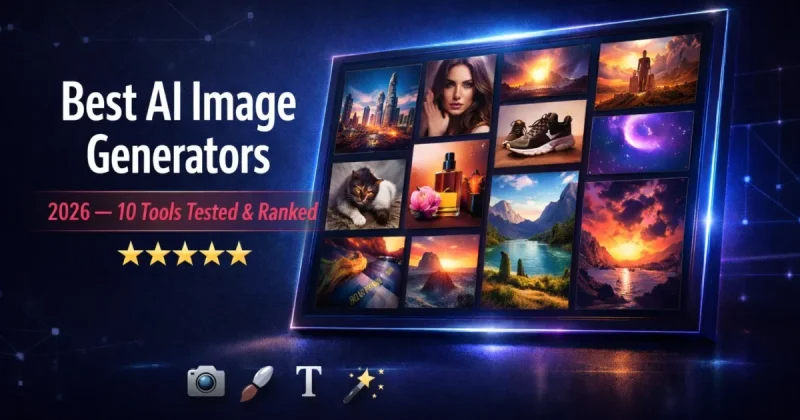
Finding the best AI image generators in 2026 shouldn't require a PhD in prompt engineering. Yet most "best of" lists read like press releases — no testing, no honest takes, just recycled feature dumps. If you're looking for writing tools instead, check our best AI writing tools 2026 roundup. We took a different approach. Over three weeks, we fed identical prompts into 10 AI image generators and compared the results across photorealism, artistic style, text rendering, speed, and pricing. This is the definitive guide to the best AI image generators 2026 — ranked by people who actually used them.
Best AI Image Generators 2026 — Quick Rankings
Short on time? Here's how the top 10 AI image generators stack up after our testing.
| Rank | Tool | Best For | Price | Our Score |
|---|---|---|---|---|
| #1 | Midjourney V7 | Artistic quality & cinematic visuals | From $10/mo | 9.2/10 |
| #2 | GPT Image 1.5 (ChatGPT) | Text rendering & all-purpose generation | Free / $20/mo | 9.0/10 |
| #3 | FLUX.2 | Photorealism & open-source flexibility | Free / API pricing | 8.8/10 |
| #4 | Adobe Firefly 3 | Commercial-safe images & Adobe workflow | From $10/mo | 8.5/10 |
| #5 | Ideogram 3.0 | Typography & graphic design | Free / From $8/mo | 8.4/10 |
| #6 | Nano Banana 2 | Prompt intelligence & data synthesis | Free / API pricing | 8.3/10 |
| #7 | Seedream 5.0 | Budget-friendly e-commerce visuals | API pricing (~$0.04/img) | 8.2/10 |
| #8 | Leonardo AI | Game assets & character design | Free / From $12/mo | 8.0/10 |
| #9 | Google Imagen 3 | Free generation via Gemini | Free (with Gemini) | 7.8/10 |
| #10 | Stable Diffusion 3.5 | Self-hosted & full control | Free (open-source) | 7.5/10 |
BEST OVERALL
Midjourney V7
Score: 9.2/10
Unmatched artistic quality. Cinematic visuals that stop you mid-scroll.
Try Midjourney →SMARTEST GENERATOR
GPT Image 1.5
Score: 9.0/10
Best text rendering & prompt understanding. Free tier available.
Try ChatGPT →PHOTOREALISM KING
FLUX.2
Score: 8.8/10
Best photorealistic output. Open-source & pay-per-use.
Try FLUX.2 →How We Tested These AI Image Generators
Every tool on this list went through the same testing framework. We used five identical prompts covering different image types: a photorealistic portrait, a fantasy landscape, a product mockup with text, an architectural interior, and an abstract concept (the emotion of nostalgia). Each output was evaluated without any editing or upscaling — raw first-generation quality only.
We scored each tool across five categories: image quality (detail, coherence, artefacts), prompt accuracy (did it follow instructions?), text rendering (can it spell correctly inside images?), speed (time from prompt to final image), and value for money (output quality relative to what you pay). Every score reflects real hands-on use, not marketing claims.
The 10 Best AI Image Generators in 2026
1. Midjourney V7 — The Artistic Gold Standard
Midjourney has been generating some of the most visually striking AI images since 2022, and version 7 solidifies its position at the top. No other tool consistently produces images with the same level of emotional depth, dramatic lighting, and painterly richness. If you've ever scrolled past an AI image that made you stop and stare, there's a decent chance it came from Midjourney.
The V7 update brought noticeable improvements in anatomy (hands finally look correct most of the time), more consistent prompt following, and the addition of video generation within the same subscription. The web interface has matured beyond its Discord-only origins — you can now create directly on midjourney.com with a clean editor, though many power users still prefer Discord for its organisational flexibility.
Where Midjourney falls short is text rendering. Ask it to put specific words on a poster or t-shirt and you'll often get garbled letters or misspellings. It's also the only tool on this list with no free tier whatsoever — you're paying from day one.
| Midjourney Plan | Monthly | Annual | Key Feature |
|---|---|---|---|
| Basic | $10/mo | $8/mo | ~200 images in Fast mode |
| Standard | $30/mo | $24/mo | Unlimited images (Relax mode) |
| Pro | $60/mo | $48/mo | Stealth mode (private images) |
| Mega | $120/mo | $96/mo | 60 hours Fast GPU time |
Pros: Unmatched artistic quality, cinematic lighting, V7 anatomy improvements, video generation included, unlimited images on Standard plan.
Cons: No free tier, poor text rendering, Discord workflow can be confusing for beginners, no API access on lower plans.
Best for: Artists, designers, and content creators who prioritise visual impact and cinematic quality above all else.
2. GPT Image 1.5 (via ChatGPT) — The Smartest Image Generator
OpenAI's GPT Image 1.5 model, accessible through ChatGPT, has quietly become one of the best AI image generators available. What sets it apart isn't raw artistic beauty — Midjourney still wins there. It's intelligence. GPT Image 1.5 understands prompts better than any other tool we tested. Describe a complex scene with multiple elements, specific spatial relationships, and detailed text, and it delivers exactly what you asked for.
The text rendering capability deserves special mention. GPT Image 1.5 leads every benchmark for readable typography inside AI-generated images. Posters, product labels, signage, diagrams — it handles them all with accuracy that would have seemed impossible a year ago. For marketers and designers who need text-heavy visuals, this alone makes it the top choice.
Free ChatGPT users can generate up to 10 images per day. ChatGPT Plus ($20/month) significantly increases that limit and provides access to the full GPT-5.2 suite alongside image generation — making it arguably the best value on this list if you already use ChatGPT for writing.
Pros: Best text rendering of any AI image generator, exceptional prompt understanding, free tier available, conversational editing interface, built-in image editing.
Cons: Artistic style less distinctive than Midjourney, lower image resolution than dedicated tools, limited artistic parameter control, chat-based workflow slower.
Best for: Marketers, designers, and anyone needing images with readable text — posters, product labels, social graphics, infographics.
3. FLUX.2 — The Photorealism Champion
FLUX.2, developed by Black Forest Labs, is the tool that keeps professional photographers nervous. For pure photorealism — natural skin textures, realistic lighting, accurate reflections, physically plausible materials — FLUX.2 is the best we've tested. Images look like they came from a high-end camera, not an AI model.
FLUX.2 comes in several variants: Schnell (fast, free), Dev (developer-friendly), Pro (high quality), and Max (maximum detail). The open-source Schnell model is completely free and runs locally if you have a capable GPU, making it the best option for developers and technically-inclined creators who want full control over the generation process.
For non-technical users, FLUX.2 is accessible through platforms like fal.ai, getimg.ai, and Replicate, where you pay per image (roughly $0.03-0.05 each). There's no monthly subscription required — you only pay for what you generate.
Pros: Best photorealism available, open-source option, pay-per-use pricing, multiple model variants, runs locally on capable GPUs.
Cons: Requires technical knowledge for self-hosting, no user-friendly web app, artistic styles less varied than Midjourney, API-only for most users.
Best for: Photographers, product studios, and developers needing photorealistic images with pay-per-use or self-hosted flexibility.
4. Adobe Firefly 3 — The Commercially Safe Choice
Adobe Firefly exists for one very specific reason: copyright safety. It's trained exclusively on Adobe Stock images, openly licensed content, and public domain material. This means every image you generate comes with Adobe's commercial indemnification — if someone sues you for copyright infringement based on a Firefly-generated image, Adobe has your back legally.
For businesses, agencies, and brands that cannot afford legal risk, this makes Firefly the automatic choice regardless of how it compares artistically. And honestly, the artistic quality has improved dramatically with version 3. It handles product photography, lifestyle imagery, and marketing visuals competently. It won't match Midjourney's cinematic flair, but it'll produce clean, professional images that work in corporate contexts.
Firefly integrates directly into Photoshop, Illustrator, and Adobe Express. If you're already paying for Creative Cloud ($55/month), Firefly is included with 250 generative credits per month.
Pros: Copyright indemnification, seamless Adobe integration, clean professional output, included with Creative Cloud, strong for marketing visuals.
Cons: Less creative than Midjourney, credit-based system limits output, expensive standalone, artistic quality mid-tier.
Best for: Businesses, agencies, and brands that need legally safe commercial images with Adobe workflow integration.
5. Ideogram 3.0 — The Typography Specialist
Ideogram made its name as the AI image generator that could actually spell. While GPT Image 1.5 has now caught up (and arguably surpassed it), Ideogram 3.0 remains exceptional for graphic design use cases — posters, social media graphics, logos, and any visual where text is a central element.
The free tier is generous: 25 images per day with access to the latest model. Paid plans start at $8/month for faster generation and higher resolution. For social media managers and small business owners who need quick graphics with readable text, Ideogram offers the best free option in this category.
Pros: Excellent text rendering, generous free tier (25/day), strong for graphic design, affordable paid plans, clean poster and social media output.
Cons: Photorealism behind FLUX.2 and Midjourney, artistic depth limited, less versatile for complex scenes.
Best for: Social media managers, small business owners, and designers needing quick graphics with readable text at zero cost.
6. Nano Banana 2 — The Prompt Whisperer
Nano Banana 2 surprised us during testing. Developed as part of a broader AI platform, it excels at something subtle but crucial: understanding exactly what you mean, not just what you typed. Feed it a vague or abstract prompt, and it consistently interprets your intent better than tools that rely on literal prompt parsing.
The practical impact? Fewer generations needed to get what you want. Where Midjourney might need 3-4 prompt refinements, Nano Banana often nails it on the first or second try. For users who don't want to learn complex prompt engineering techniques, this intelligence advantage saves real time.
Pros: Superior prompt understanding, fewer retries needed, handles vague prompts well, good data synthesis capabilities.
Cons: Less established brand, smaller community, artistic quality behind top-tier tools, limited documentation.
Best for: Non-technical users who want accurate results without learning prompt engineering techniques.
7. Seedream 5.0 — The Budget Powerhouse
ByteDance's Seedream doesn't get the attention it deserves. At approximately $0.04 per image via API, it delivers photorealistic quality that competes with FLUX.2 at a fraction of the cost. The model handles complex multi-element prompts reliably and produces natural skin textures, accurate lighting, and well-composed scenes.
Seedream is particularly strong for e-commerce product imagery and fashion photography — categories where ByteDance has invested heavily in training data. If you need hundreds of product photos and budget matters, Seedream is worth serious consideration.
Pros: Extremely affordable ($0.04/image), strong photorealism, excellent for e-commerce and fashion, handles complex prompts well.
Cons: API-only access, no user-friendly interface, less community support, limited artistic styles.
Best for: E-commerce businesses and fashion brands needing bulk product photos at the lowest cost per image.
8. Leonardo AI — The Creator's Playground
Leonardo AI targets creative professionals working in gaming, entertainment, and digital art. Its model training feature lets you upload reference images and train custom models that generate assets in your specific style — incredibly useful for game developers needing consistent character designs or concept artists building visual libraries.
The free plan provides 150 tokens daily (roughly 30 images), making it one of the more generous free tiers for creative exploration. Paid plans start at $12/month for heavier usage and access to premium models.
Pros: Custom model training, generous free tier (150 tokens/day), great for game assets, consistent character design, strong community.
Cons: Token system can be confusing, quality inconsistent across models, less polished than Midjourney, UI can feel overwhelming.
Best for: Game developers, concept artists, and digital creators who need custom model training and consistent character design.
9. Google Imagen 3 (via Gemini) — The Free All-Rounder
Google's Imagen 3, accessible through Gemini, offers solid image generation at the unbeatable price of absolutely nothing. Free Gemini users can generate up to 20 images per day with decent quality — not class-leading, but good enough for blog thumbnails, social media posts, and quick visuals.
The quality sits comfortably in the middle of the pack. Images are clean and well-composed but lack the artistic distinctiveness of Midjourney or the photorealistic precision of FLUX.2. For casual users who need occasional images without any subscription commitment, Imagen 3 through Gemini is the easiest entry point into AI image generation.
Pros: Completely free, 20 images/day, clean compositions, easy access via Gemini, no signup friction.
Cons: Mid-tier quality, lacks artistic depth, limited control over styles, no advanced editing features.
Best for: Casual users, bloggers, and anyone needing occasional images without any cost or subscription commitment.
10. Stable Diffusion 3.5 — The Open-Source Option
Stable Diffusion remains the choice for users who want complete control over their image generation pipeline. It's fully open-source, runs locally on your own hardware (no data sent to external servers), and supports an enormous ecosystem of community-built models, LoRAs, and extensions.
The trade-off is complexity. Setting up Stable Diffusion requires technical knowledge — installing Python environments, configuring GPU drivers, and navigating community tools like ComfyUI or AUTOMATIC1111. If you're comfortable with that, the creative freedom is unmatched. If you'd rather just type a prompt and get an image, look at the other tools on this list.
Pros: Fully free and open-source, complete privacy (runs locally), massive community ecosystem, unlimited customisation, no usage limits.
Cons: Requires technical setup, needs capable GPU, steep learning curve, no official support, base quality behind paid tools.
Best for: Technical users, developers, and privacy-focused creators who want full control over their image generation pipeline.
Best AI Image Generators — Pricing Comparison
| Tool | Free Plan | Cheapest Paid | Best Value Plan | Cost Per Image (est.) |
|---|---|---|---|---|
| Midjourney | None | $10/mo (Basic) | $30/mo (Standard — unlimited) | ~$0.03 (Relax mode) |
| ChatGPT (GPT Image) | 10 images/day | $20/mo (Plus) | $20/mo (writing + images) | Free — $0.00 |
| FLUX.2 | Open-source (self-host) | ~$0.03/image (API) | Pay-per-use via fal.ai | $0.03-0.05 |
| Adobe Firefly | 25 credits/mo | $10/mo | Creative Cloud ($55/mo) | ~$0.22 |
| Ideogram | 25 images/day | $8/mo | $8/mo (Plus) | Free — $0.00 |
| Leonardo AI | 150 tokens/day | $12/mo | $12/mo (Apprentice) | Free — $0.04 |
| Google Imagen 3 | 20 images/day | Free with Gemini | Free | $0.00 |
| Stable Diffusion | Fully free (local) | $0 (your GPU) | Free forever | $0.00 (after GPU cost) |
Best AI Image Generator for Every Use Case
The "best" tool depends entirely on what you're creating. Here's our recommendation for specific use cases based on testing.
For Artistic & Creative Work → Midjourney. Nothing else comes close for concept art, editorial imagery, cinematic scenes, and visually striking compositions. The Standard plan ($30/month) with unlimited Relax mode images is the best deal for creatives.
For Images with Text (Posters, Marketing) → GPT Image 1.5. If your image needs readable text — product labels, social graphics, infographics, posters — GPT Image 1.5 through ChatGPT is the clear winner.
For Photorealistic Product Photos → FLUX.2. Product photography, portraits, architectural renders — anything that needs to look like a real photograph.
For Corporate & Commercial Use → Adobe Firefly. The only tool with legal copyright indemnification. If your company cannot afford any IP risk, Firefly is the only responsible choice.
For Zero Budget → Google Imagen 3 or Ideogram. Gemini gives you 20 free images daily. Ideogram gives you 25. Between these two, you can produce all the images a small blog or social account needs without spending anything.
For E-Commerce at Scale → Seedream 5.0. At $0.04 per image, Seedream delivers photorealistic product shots at a price point that makes bulk generation viable.
AI Image Generators — What to Watch in 2026
The AI image generation landscape is shifting fast. Several trends are worth tracking as you choose your tools:
Video generation is merging with image generation. Midjourney now includes video within its subscription. Runway and Kling offer image-to-video pipelines. The line between "image generator" and "video generator" is blurring rapidly, and tools that handle both will win long-term.
Text rendering is no longer a weakness. GPT Image 1.5 and Ideogram 3.0 have effectively solved the "AI can't spell" problem. Expect every major tool to catch up within months.
Multi-model platforms are rising. Instead of subscribing to five different tools, platforms like getimg.ai and fal.ai let you access multiple models (FLUX, Seedream, GPT Image, Nano Banana) through a single interface. This aggregator model may eventually dominate.
Open-source keeps closing the gap. FLUX.2 Schnell is free and competitive with paid tools. Stable Diffusion's ecosystem continues expanding. For technically capable users, the paid vs. free quality gap is narrowing every month.
Best AI Image Generators 2026 — Our Final Verdict
🏆 Overall Winner: Midjourney V7 (9.2/10)
For raw visual quality and artistic impact, Midjourney remains the best AI image generator in 2026. The Standard plan at $30/month delivers unlimited images with consistently stunning results.
Best Free Option: ChatGPT (GPT Image 1.5) — 10 free images daily with the smartest prompt understanding and best text rendering available.
Best Value: Ideogram 3.0 — 25 free images per day with strong text rendering. Hard to beat for zero cost.
The bottom line: Start with ChatGPT's free image generation or Ideogram's free tier. Once you understand what you need, invest in Midjourney for creative work, FLUX.2 for photorealism, or Adobe Firefly for commercial safety.
Frequently Asked Questions
What is the best AI image generator in 2026?
Based on our testing, Midjourney V7 produces the highest quality artistic images. For text-heavy graphics, GPT Image 1.5 (via ChatGPT) leads. For photorealism, FLUX.2 is the top choice. The "best" depends on your specific use case — there's no single tool that wins at everything.
Is there a free AI image generator that's actually good?
Yes, several. ChatGPT offers 10 free images per day with strong quality. Ideogram gives 25 free images daily with excellent text rendering. Google Gemini (Imagen 3) provides 20 free images per day. Leonardo AI offers 150 free tokens daily. All four produce genuinely usable images at zero cost.
Is Midjourney free in 2026?
No. Midjourney removed its free trial in late 2024 and has not brought it back. All plans are paid, starting at $10/month for the Basic tier. There is no way to use Midjourney without a subscription.
Which AI image generator has the best text rendering?
GPT Image 1.5 (available through ChatGPT) leads all current benchmarks for accurate text inside AI-generated images. Ideogram 3.0 is a close second. Midjourney still struggles with text accuracy despite improvements in V7.
Can I use AI-generated images commercially?
Most paid AI image generators grant commercial usage rights in their terms of service. Adobe Firefly offers the strongest legal protection with explicit copyright indemnification. Midjourney, ChatGPT, and FLUX.2 all allow commercial use on paid plans. Always review each tool's specific terms before using images in commercial projects.
Midjourney vs DALL-E vs FLUX — which should I choose?
Choose Midjourney for artistic and cinematic visuals. Choose ChatGPT (GPT Image/DALL-E) for text-heavy images and all-purpose generation with a free tier. Choose FLUX.2 for photorealistic images and if you prefer pay-per-use or open-source flexibility. Many professionals use two tools: Midjourney for hero images and ChatGPT for everything else.
What is the cheapest AI image generator?
For completely free generation, Stable Diffusion (self-hosted), Google Imagen 3 (via Gemini), and Ideogram's free tier cost nothing. For paid tools, Ideogram Plus at $8/month is the cheapest subscription. FLUX.2 via API at roughly $0.03 per image is the cheapest pay-per-use option.
Alma MartinEditor, DailyCraveHive
Alma is the editor behind DailyCraveHive. She researches and tests AI writing tools, image generators, and trending platforms — comparing real pricing, features, and output quality before anything gets published on this site.