18+ Disclosure: This guide is for adults aged 18 or over who want to create content legally and safely. Some links may be affiliate links — we may earn a commission at no extra cost to you (see our affiliate disclosure). Earnings vary widely; nothing here is a guarantee of income.
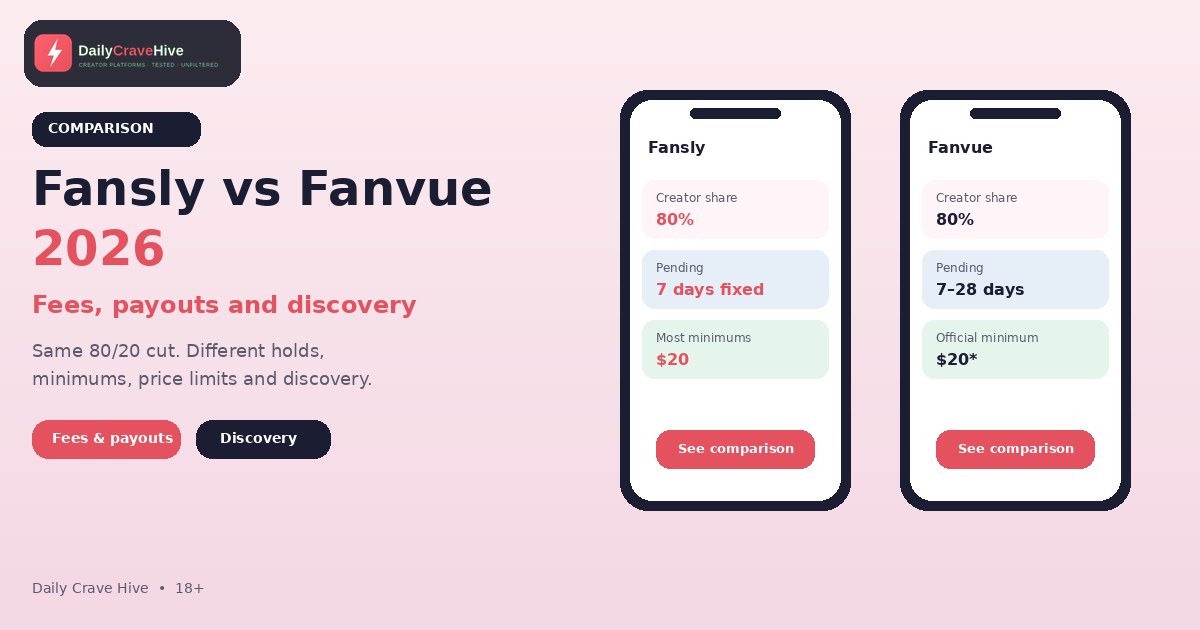
If you're a new creator choosing between Fansly and Fanvue, the first thing you'll notice is that the headline numbers look the same. Both keep 20% and pay you 80%. That makes it tempting to flip a coin. But the details around the fee, such as how long money is held, how low the payout minimum really is, how much you can charge and how fans find you, differ more than the headline suggests.
This comparison uses each platform's own published pages: Fansly's Help Center and Fanvue's Creator Earnings & Payouts policy and Help Centre. We haven't run an account on either platform, so we're reporting what the rules say, not how the dashboards feel. Platforms change their terms, so please check the official site of each before you commit. We only compare these two here. For a head-to-head against OnlyFans, see our Fansly vs OnlyFans and Fanvue vs OnlyFans guides.
Fansly vs Fanvue At A Glance
| Factor | Fansly | Fanvue |
|---|---|---|
| Creator share | 80% (Fansly Help Center) | 80% standard, with 20% kept as platform fees (Fanvue policy) |
| Promotional rates | None found | Fanvue may run temporary promotional rates; check the platform |
| Pending period | 7 days per transaction | Standard 7 days; can extend up to 28 days under the policy |
| Payout minimum | $20 for most methods; $50 SEPA; $100 SWIFT wire and crypto | $20 officially, with regional variations |
| Extra payout conditions | Tax forms before first withdrawal | 5 uploaded pieces of content and verified co-creators |
| Payout timing | Most requests approved within 48 hours, then 1–3 business days | 3–5 business days per the Help Centre; policy aims to start within 10 business days |
| Payout fees | Help Center says no hidden fees for payouts, processing or currency conversion | 1% on TripleA only |
| Subscription price | $5.00 to $499.99 a month | $3.99 to $100 a month |
| Discovery | Profile tags, hashtags, For You page | Discover feed, Suggested Creators, intro videos |
Figures as published on October 16, 2026. Check the official site, because they may change.
The Fee: Same Cut, Different Fine Print
Fansly: 80% To The Creator
Fansly's Help Center article "Getting Started on Fansly" says: "Creators receive 80% of revenue from subscriptions, sold media, messages, and tips. No hidden fees for payouts, processing, or currency conversion." That means Fansly keeps 20% of those revenue types. The Help Center also says Fansly protects creators from chargebacks "almost always," but it can deduct earnings if your account has an unusually high number of chargebacks, or if the money came from content that breaks its terms.
Fanvue: 80% Standard, With Room For Promotions
Fanvue's Creator Earnings & Payouts policy says: "the standard Creator Earning Rate is 80% of gross revenue from Paid-for Services, with the remaining 20% retained by Fanvue as Platform Fees." Two things stand out:
- Promotional rates. The policy says Fanvue may offer a "Promotional Earning Rate," a temporary uplift for things like newly onboarded creators, and that the rate and duration are "published on the Platform" and can change at Fanvue's discretion. Some third-party guides quote a specific introductory rate. We couldn't confirm a figure on Fanvue's published pages, so check your dashboard for the rate that applies to you.
- The old 85% rate has ended. Fanvue's Help Centre says the 85% rate offered to creators who joined in 2022 "has come to an end" as the platform moves to its standard 80%.
Fanvue's policy also says earnings can be adjusted for refunds, chargebacks and fraud. If your dispute rate goes above 1.5% in any rolling 30-day period, the policy says Fanvue "may impose" a $50 administrative fee for each additional dispute, though it describes this as discretionary.
What You Keep
At the standard 80% on both platforms, a $10 subscription leaves you $8.00, a $100 sale total leaves $80.00, and $1,000 in a month leaves $800.00. These are worked examples, not forecasts.
Pending Periods: How Long Your Money Waits
Fansly is straightforward. Its Help Center says "after each transaction, your funds enter a 7-day pending period," and gives a precise example: earn $5 on the 13th at 1 pm and it becomes available on the 20th at 1 pm.
Fanvue says the standard Pending Period is seven days, but its policy adds that "this may be extended up to twenty-eight (28) days depending on factors such as account verification and user activity," decided by its fraud and risk systems and "subject to change without notice." A separate Help Centre article says that if a fan hasn't verified their email, a payment can be held for 30 days. Those two numbers don't quite line up, which is one more reason to check your own balance screen.
What it means: with Fansly you can plan around a fixed week. With Fanvue, allow for longer holds early on.
Payout Minimums And Conditions
Fansly
According to Fansly's Help Center:
| Payout method | Minimum |
|---|---|
| Paxum, Cosmopayment | $20 |
| Local bank deposits (South America and Asia, including USD ACH and CAD) | $20 |
| SEPA (EU and UK) | $50 |
| International SWIFT wire | $100 |
| Cryptocurrency | $100 |
Fansly adds that there's a SEPA exception, where you can request as little as $20 but it's sent automatically 14 days later if you haven't reached $50. The help article for new creators also says you can see income in your wallet without tax documents, but "you won't be able to withdraw funds until your tax forms are submitted."
Fanvue
Fanvue's Help Centre says you need "a minimum of $20 in your Available Balance," and adds that "it might not always be as low as $20 as it is subject to regional variations." Before a first payout you also need:
- At least 5 pieces of content uploaded
- Verified co-creators for anyone else featured in your content
New payout methods go through a security review that can take up to 24 hours.
Which Minimum Is Lower?
For most people, both start at $20. The exceptions are Fansly's $50 SEPA and $100 wire and crypto minimums, and Fanvue's regional variations. Your own payout settings show the number that applies to you.
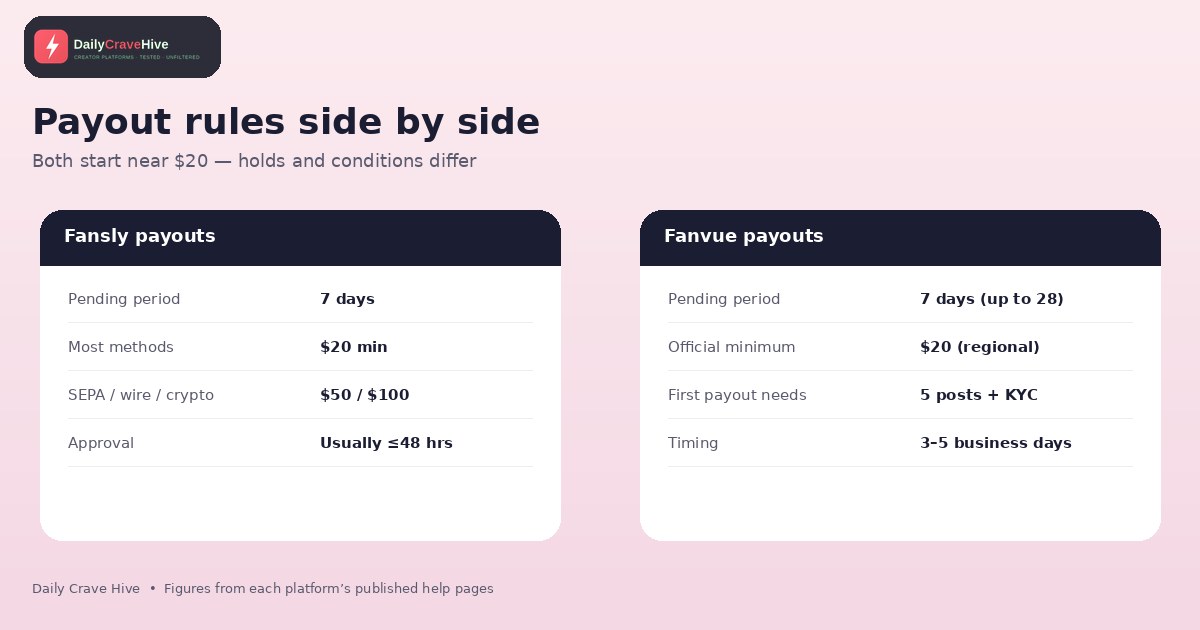
Both platforms start payouts at about $20, but the conditions around the minimum differ.
Payout Timing And Fees
Fansly Timing
Fansly's Payout Processing Times article says "most payout requests are reviewed and approved by our team within 48 hours, though often sooner." After that, "delivery typically occurs within 1–3 business days," while crypto, Paxum and Cosmopayment usually arrive "within 24 hours or less." International bank transfers and crypto are batched every three days. Another Help Center page says payouts "may take up to four (4) business days to fully process."
Fanvue Timing
Fanvue's Help Centre says requests are "sent to your chosen payout method within 3-5 business days, depending on your chosen payout method." Its formal policy is more cautious: "We aim to initiate all valid Payout requests within ten (10) Business Days of receipt," and delays can come from fraud checks, banks or payment detail problems. If you don't get a payout, the policy says you must tell Fanvue within 30 days of the transaction or "no adjustments will be made."
Payout Fees
- Fansly: its Help Center says there are no hidden fees for payouts, processing or currency conversion. Your own bank may still charge you.
- Fanvue: a Help Centre article says only one provider, TripleA, carries a Fanvue fee, at 1%. It's taken from the withdrawal amount when you request the payout, and you see the fee before you confirm.
Dormant Balances
One Fanvue rule many creators miss: under its policy, if you don't request a payout or submit a required invoice for any part of your balance within 12 months, that portion can be classified as "Dormant." Fanvue says it will send reminders first, but after classification, creators in the UK, EEA and the rest of the world are deemed to waive the right to payment. US balances are handled under unclaimed property law. If you're not using a platform actively, withdraw your earnings.
Price Limits And Monetisation
| Fansly | Fanvue | |
|---|---|---|
| Subscription range | $5.00 to $499.99 a month | $3.99 to $100 a month |
| Media or PPV | Media sales $1.00 to $499.99 per item | Subscriptions, tips, PPV messages, bundles and custom content |
| Multi-tier subscriptions | Yes, optional | Not found in the pages we checked |
| Bundles and discounts | Multi-month discounts, public promotions, private offers | Bundles of 3, 6 or 12 months with up to 50% off, plus free trials |
Fansly's wider range gives you more room to price high-value tiers. Fanvue's cap of $100 is lower, but it's well above what most new creators charge. Fanvue's own Help Centre suggests the $10 to $30 range "tends to perform best across the platform."
Discovery: How Do New Fans Find You?
This is where beginners without an audience should spend the most time.
Fansly gives you:
- Profile tags, which are private labels that help the algorithm understand what you create
- Hashtags for search and trending topics
- A For You page. Fansly's recommendations guide says to add a free preview to locked media you want shown there
Fanvue gives you:
- A Discover feed. The Help Centre says it is "randomised by default, so all eligible creators get a chance to be seen," with new, rapidly growing and high-performing accounts nearer the top
- Suggested Creators, with placement that's automatic and "based on your performance and growth," with no application
- Intro videos, which the Help Centre says are always guaranteed a placement in Discover
- A discoverability toggle. If you turn it off, fans can't find you in Discover or search, though your profile link still works
What it means: both offer built-in discovery, which sets them apart from platforms where you bring all your own traffic. Fanvue's randomised feed and guaranteed intro video placement are explicit about giving new accounts a chance. Fansly relies more on tags and the quality of your free previews. Neither promises results, and most creators still promote on social media.
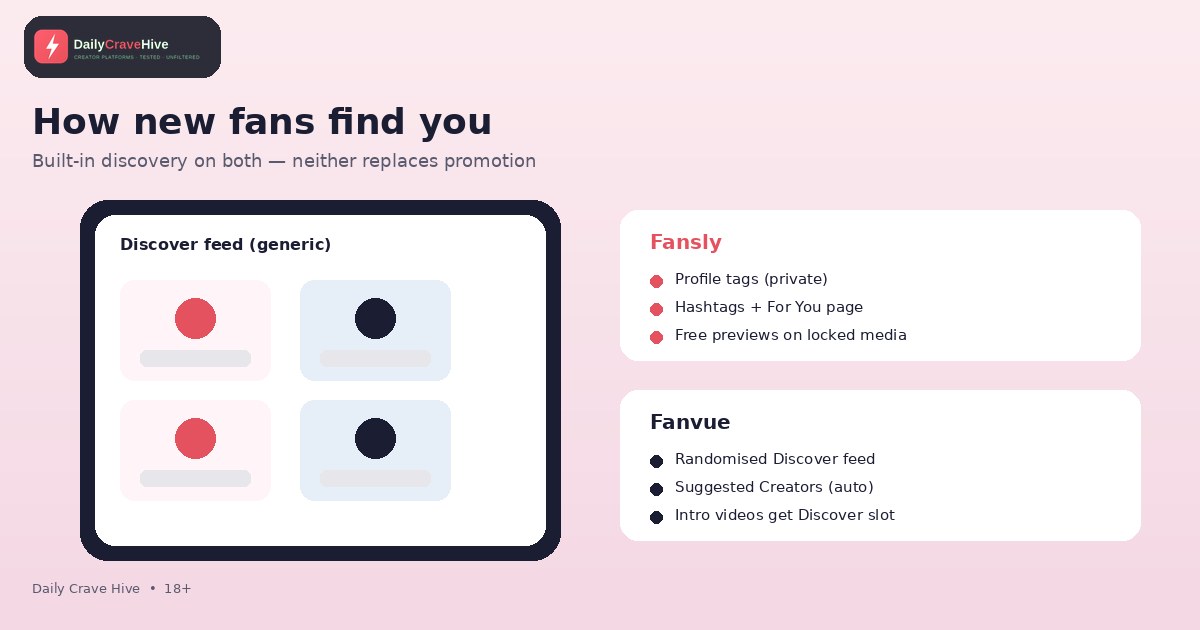
Both platforms have built-in discovery, but neither replaces promoting your page elsewhere.
Tax And Paperwork
Both platforms put tax on you. Fansly's Help Center says it "does not withhold any taxes from the funds you earn" and that you're responsible for reporting them. Fanvue's policy says earnings are "paid gross of tax" and that it may collect or withhold taxes where the law requires, and may issue documents such as 1099s. If you're in the US, the IRS's self-employed individuals tax center explains estimated quarterly payments and self-employment tax. Elsewhere, check your own country's tax authority.
Who Should Pick Which?
Fansly may suit you if:
- You want to price tiers above $100 or run several tiers
- You'd like a single, fixed 7-day hold you can plan around
- You rely on tags and previews to get found
- You're comfortable submitting tax forms before your first withdrawal
Fanvue may suit you if:
- You like the idea of a randomised Discover feed and a guaranteed intro-video slot
- You're comfortable with the 5-content upload requirement for a first payout
- You may benefit from a promotional earning rate while you start
- You'll check your balance often enough to avoid dormancy
Read our Fansly review and Fanvue review for a closer look at each on its own.
Frequently Asked Questions
Is Fansly or Fanvue better for new creators?
Neither is better for everyone. Both start at an 80% share and both have built-in discovery. Fanvue's Help Centre says its Discover feed is randomised and gives intro videos guaranteed placement, while Fansly relies on tags and a For You page. Pick based on payout rules, price limits and which interface you prefer.
Do Fansly and Fanvue charge the same fees?
On standard rates, yes: each keeps 20% and pays you 80%, according to their own pages. Fanvue may also offer promotional earning rates, and charges a 1% payout fee on TripleA. Fansly's Help Center says it has no hidden payout or processing fees.
Which platform has the lower payout minimum?
Both list $20 as the usual minimum. Fansly's minimums rise to $50 for SEPA and $100 for wires and crypto. Fanvue's $20 can vary by region and requires five uploaded pieces of content before a first payout.
How long do payouts take on Fansly and Fanvue?
Fansly says most payout requests are approved within 48 hours, then take 1–3 business days. Fanvue's Help Centre says 3–5 business days, though its policy aims to start payouts within 10 business days. Each sale is held for a pending period first.
Does either platform hold my earnings for longer than a week?
Possibly. Fansly says each sale is pending for 7 days. Fanvue's standard period is also 7 days, but its policy says it can extend up to 28 days, and its Help Centre says payments from fans with unverified emails can be held for 30 days.
Can I use both Fansly and Fanvue?
Nothing we found on their published pages prohibits it, but check each platform's terms, especially on content and exclusivity. If you're thinking of using both, keep track of two sets of tax documents and two payout schedules.
Final Verdict
On fees, it's a tie at 80/20 on standard rates. The difference is in the details. Fansly gives you a fixed seven-day hold, a wider price range and tag-based discovery. Fanvue gives you a randomised Discover feed, a 1% payout fee on one provider and a few conditions to meet before your first payout. Both want you to handle your own taxes. Read the current terms on each, check your dashboard once you're in, and base your choice on the rules that matter most to you.
Last checked: October 16, 2026. This guide is for adults aged 18 and over.
Alma MartinEditor, Daily Crave Hive
Alma Martin is the editor at Daily Crave Hive. She reviews creator and adult platforms - fees, payouts, safety and more - so readers get honest guides before they sign up.