18+ Disclosure: This guide is intended for adults aged 18 or over who want to sell content legally and safely. Some links may be affiliate links — we may earn a commission at no extra cost to you (see our affiliate disclosure). Earnings vary widely; nothing here is a guarantee of income.
The honest answer about the FeetFinder app, plus simple steps to use the official site on your phone.
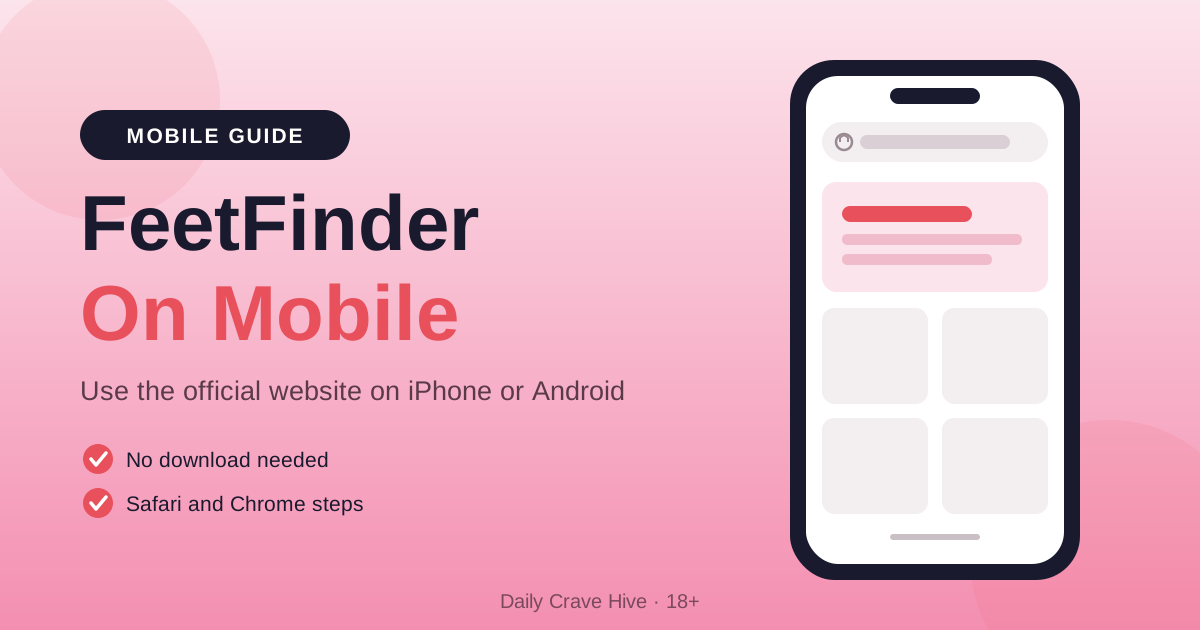
Looking for the FeetFinder app so you can buy or sell from your phone? Here is the short answer. FeetFinder does not currently have an official mobile app. Its own FAQ directs users to the website on their phones. You can use the official platform through your mobile browser without downloading an app.
That is actually good news. There is nothing extra to install, and there is only one official place to sign in. This guide shows you how to reach the real site, how to add a quick Home Screen shortcut on iPhone or Android, and how to start selling from your phone with realistic expectations.
Does FeetFinder Have An Official App?
No. According to FeetFinder, there is currently no official app for iPhone or Android. Searching for a FeetFinder app is natural, since most online marketplaces have one, but the search term does not mean a downloadable version exists. For buyers and sellers, the practical route is simple: open the official website in your phone's browser and use it there.
Here is what FeetFinder itself says on the topic:
- FeetFinder's FAQ currently says it does not have an app and asks users to use the site on their mobile.
- FeetFinder says Apple and Google rejected its proposed app as a "fetish app."
| Question | Current Answer |
|---|---|
| Official iOS app | No current app |
| Official Android app | No current app |
| Mobile access | Official website in your browser |

FeetFinder's FAQ says it currently has no app and directs users to the mobile site.
FeetFinder App Download: How To Access The Official Platform
If you came here looking for a FeetFinder app download, you can skip that step. You do not need the App Store, Google Play or an APK file to reach FeetFinder. Start at the official website in any mobile browser, then use the sign-in or sign-up links on that site. Going straight to the source is the easiest way to make sure you land in the right place.
Many people also type feet finder app when they look for it on their phone, and store searches can show apps with similar names or icons. Keep these simple rules in mind:
- Open www.feetfinder.com in your phone's browser.
- Use the Sign In or Sign Up links on that site.
- A similar app name or icon does not confirm a connection to FeetFinder.
- Skip APK sites, third-party app listings and random "download" buttons.
- Treat similar-name store apps as not verified as FeetFinder's official app.
How To Use FeetFinder On iPhone And Android
Using FeetFinder on a phone works the same way as visiting any website. You open your browser, go to the official site and sign in. If you want faster access, you can also add a Home Screen shortcut. That shortcut is just a quick way to reopen the website. It is not an App Store install, and the exact menus vary by phone and software version.
FeetFinder On iPhone
On iPhone, FeetFinder works in Safari like any other website. If you were searching for a feetfinder app ios version, the closest option is a Home Screen shortcut that you create yourself. It is optional, but it saves you from typing the address each time. Apple moves some menus between iOS versions, so use these steps as a general guide.
- Open Safari and visit the official website.
- Use the site's Sign In or Sign Up link.
- For a shortcut, tap Share (tap More first if your Safari layout needs it).
- Choose Add to Home Screen, then tap Add.
Menu placement depends on your iOS version and Safari layout. For the latest wording, see Apple's Home Screen guide.
FeetFinder On Android
On Android, most people use Chrome to visit FeetFinder. The site works fine in the browser on its own, so a shortcut is only there for convenience. Chrome's menu labels have changed a few times over the years, which is why the steps below use the current wording from Google's help pages.
- Open Chrome and visit the official website.
- Sign in through the site's own link.
- Open More, then choose "Install and create shortcut" and then "Create shortcut."
- Confirm the name and tap Add.
The wording can vary by Chrome version and phone brand. A website shortcut is not an official Google Play app. For current steps, check Google's Chrome shortcut guide.
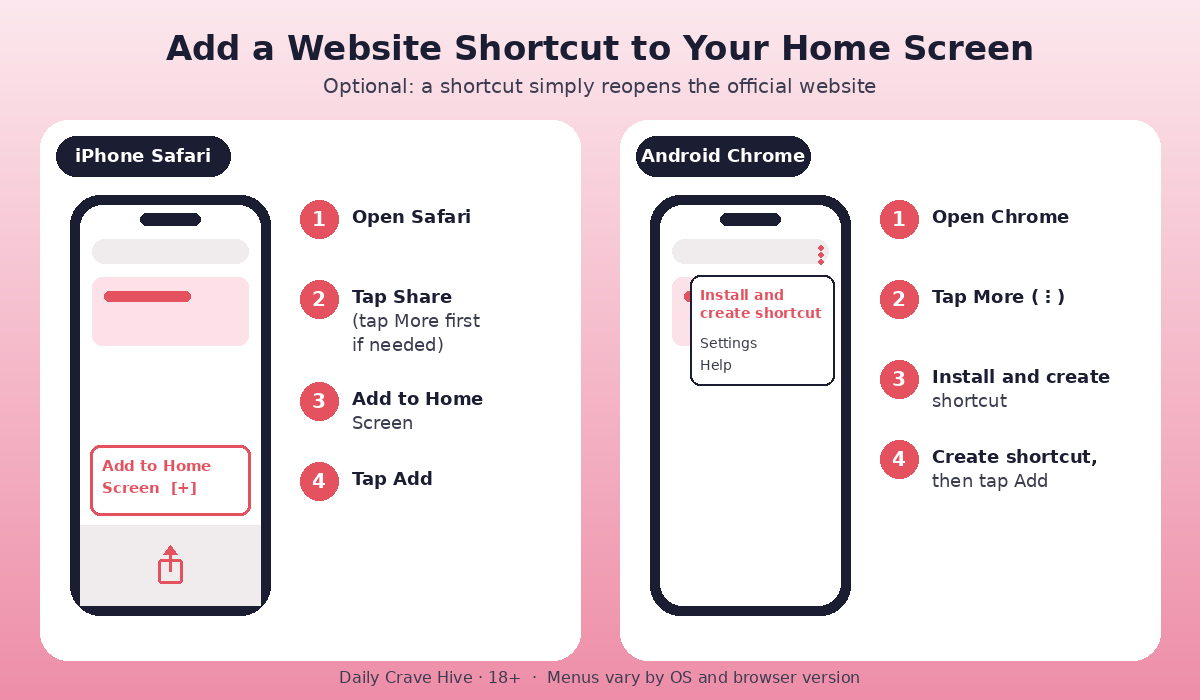
A Home Screen shortcut offers quick access to the FeetFinder website.
How To Start Selling On FeetFinder From Your Phone
FeetFinder is a dedicated marketplace where buyers and sellers of foot content meet. That focus is a big part of its appeal for new sellers, since buyers arrive on the site already looking for this type of content. Everything you need to set up a seller account is reached through the official website, so your phone is enough to get started.
Here is the basic workflow, in order:
- Meet the adult eligibility requirements and follow the official sign-up process.
- Complete the verification the platform asks for.
- Check the current plan and fees on the official site before you pay.
- Build a clear seller profile and prepare your original content.
- Follow the site's upload and listing steps, set your prices and reply to buyer messages.
- Keep all sales and payment arrangements within the platform's rules.
👉👉Create FeetFinder Account here
If you want a deeper look at how the platform works overall, our FeetFinder review covers it in detail. Reading it before you sign up helps you know what to expect from the platform as a seller.
Can You Make Money Using FeetFinder On Mobile?
Yes, you can sell from your phone, because the website itself is the selling platform. Some readers ask about a FeetFinder app to make money, but a separate app is not required. What matters far more than the device is how you run your listings. Opening an account does not guarantee buyers or earnings, so it helps to start with realistic goals.
The habits that tend to help sellers most:
- Clear listings with good photos and honest descriptions.
- Prices that suit your content and your experience level.
- Consistent activity, so your profile looks current.
- Helpful, timely replies to buyer messages.
- An understanding that income depends on demand, content and effort.
- Awareness that paid plans and fees apply, so check them on the official site.
If you are still choosing between marketplaces, our FeetFinder vs Fun With Feet comparison shows how the two line up side by side.
Keep Your Mobile Account Private And Secure
A few simple habits keep your account in good shape when you use FeetFinder on your phone. Going through the official website is the first step, because it helps you reach the right destination every time. No website can promise complete safety or full anonymity, so it pays to look after your own details as well.
A short account-care checklist:
- Check the domain in your browser before entering login or payment details.
- Use a unique password and keep it private.
- Log out when you use a shared or borrowed device.
- Keep identifying personal details out of your public profile and photos.
- Follow the official verification rules. Privacy from buyers is not the same as anonymity from the platform.
Frequently Asked Questions
These are the questions people ask most often about the FeetFinder app and whether the platform is an app or a website. Each answer is based on what FeetFinder currently says in its own FAQ. Because app plans can change, it is worth checking that page again if you are reading this some time after publication.
Does FeetFinder Have An App?
No. According to FeetFinder's FAQ, there is currently no official app. You can use the website in your phone's browser instead, and the mobile setup steps above show how to add a quick shortcut.
What Is FeetFinder App?
"FeetFinder app" is mostly how people search for FeetFinder on their phones. FeetFinder itself is a website marketplace for buying and selling foot content, and it directs mobile users to its site.
Is FeetFinder An App?
Not currently. FeetFinder is not an official downloadable marketplace app, and the service is used through its website. Adding a Home Screen shortcut does not change that, since the shortcut simply opens the website.
Is FeetFinder An App Or Website?
It is a website. You use it through your mobile browser on iPhone or Android, and no app download is needed to buy or sell.
Is There An App For FeetFinder?
FeetFinder says it currently has no app. Store listings with similar names should not be treated as official without confirmation. The safest place to start is the official website.
Final Thoughts: Start With The Official Mobile Website
You do not need to hunt for a FeetFinder app to get started. The official website works in Safari and Chrome, and a Home Screen shortcut gives you quick access in a couple of taps. Sellers can set up, list and reply to buyers from their phones, as long as they keep realistic expectations about earnings.
This guide is for adults aged 18 and over.
Alma MartinEditor, Daily Crave Hive
Alma Martin is the editor at Daily Crave Hive. She reviews creator and adult platforms - fees, payouts, safety and more - so readers get honest guides before they sign up.