18+ Disclosure: This guide is for adults aged 18 or over who want to sell content legally and safely. Some links may be affiliate links — we may earn a commission at no extra cost to you (see our affiliate disclosure). Earnings vary widely; nothing here is a guarantee of income.
OnlyFans keeps 20% of every fan payment. Here's how the pending balance, payout minimum and payout timing work in 2026.
If you're thinking about starting an OnlyFans page, or you've just made your first sale, two questions come up quickly. How much does OnlyFans keep? And when does the rest reach your bank account?
This guide answers both using OnlyFans' own pages: its Terms of Service, its Creator Center and its creator sign-up page. We haven't run a creator account ourselves for this article. Where OnlyFans publishes a number, we quote it. Where it doesn't, we say the figure is commonly reported and treat it with caution. Fees and payout rules can change, so please check the official site before you rely on any figure.
This is an OnlyFans-only explainer. If you're deciding between platforms, see our Fansly vs OnlyFans and Fanvue vs OnlyFans comparisons.
OnlyFans Fees And Payouts At A Glance
| Item | What we found | Status | Source |
|---|---|---|---|
| Platform fee | 20% of each fan payment | Confirmed | Terms of Service; start.onlyfans.com |
| Creator share | 80% of earnings | Confirmed | start.onlyfans.com |
| Pending period | Earnings held "until at least" 7 days after the payment (from OnlyFans' own example) | Confirmed by example | Creator Center |
| Payout minimum | A minimum applies. $20 is commonly reported | Amount not published on the pages we checked | Terms of Service (minimum exists) |
| Payout processing | 3–5 business days on average | Confirmed | Creator Center |
| Withdrawal options | Manual, or weekly or monthly automatic withdrawals | Confirmed | Creator Center |
| Payout currency and bank fees | Your bank or e-wallet may charge its own fees | Confirmed | Terms of Service |
| 21-day hold for new creators | Commonly reported | Not found on official pages we checked | — |
Figures as published on October 12, 2026. Check the official site, because terms may change.
How Much Does OnlyFans Take?
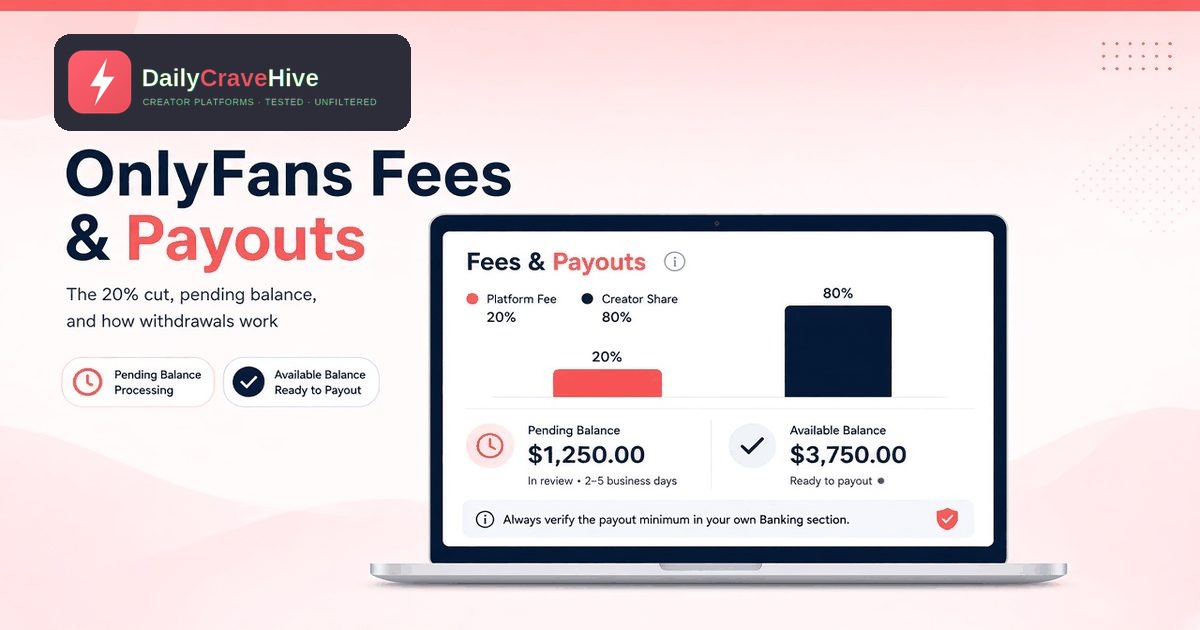
OnlyFans takes 20%. Its Terms of Service, last updated August 2024 according to the page, say: "Our Fee is calculated as 20% of the total Fan Payment and will be deducted from each Fan Payment."
The creator sign-up page puts it the other way round: "OnlyFans creators own 100% of their content, and keep 80% of all earnings."
What The 20% Covers
The fee applies to fan payments, not just subscriptions. Subscriptions, tips, pay-per-view (PPV) messages and posts, and paid streams all count as fan payments. OnlyFans doesn't charge creators a separate sign-up or monthly fee to open an account. Your cost is the share of what fans pay you.
What 80% Looks Like In Practice
| Fan payment | OnlyFans fee (20%) | You keep (80%) |
|---|---|---|
| $10 subscription | $2.00 | $8.00 |
| $25 tip | $5.00 | $20.00 |
| $50 PPV message | $10.00 | $40.00 |
| $1,000 in a month | $200.00 | $800.00 |
These are worked examples, not earnings forecasts. Your bank or payout provider may take a little more, and you may owe tax on what you earn.
Other Things That Can Reduce Your Earnings
- Refunds and chargebacks. The Terms say that if a fan "successfully seeks a refund or chargeback," OnlyFans "may deduct an amount equal to the Creator Earnings portion" from your balance.
- Bank and conversion charges. The Terms say OnlyFans isn't responsible for banking, currency exchange or e-wallet charges.
- VAT and local taxes. Depending on where you and your fans live, tax may apply. OnlyFans publishes a separate UK VAT Policy. Get tax advice for your own country.
The Pending Balance: Why Your Money Isn't Available Immediately
Every sale first lands in your pending balance, not in money you can withdraw. The Creator Center explains: "All of your OnlyFans earnings – whether they come from subscriptions, tips, PPVs, or anything else – are first added to your pending balance."
Is It Really 7 Days?
OnlyFans doesn't state a fixed number of days on the pages we checked. Its own example does show the timing, though: "if a fan tips you on June 1st, that money will be held in your pending balance until at least June 8th before entering your current balance."
So about seven days is the minimum hold, going by OnlyFans' own example. Note the words "at least." The hold can be longer.
The 21-Day Rule For New Creators
Creator forums and third-party guides commonly report that new accounts wait longer, often 21 days, for their first earnings to clear. We couldn't find this on OnlyFans' Terms or Creator Center, so we can't confirm it. Treat it as a possibility, not a rule, and check the Statements page in your own account.
Current Balance
Once funds leave the pending balance, they move to your current balance. The Creator Center says: "As soon as funds have cleared your pending balance and entered your current balance, you can withdraw."
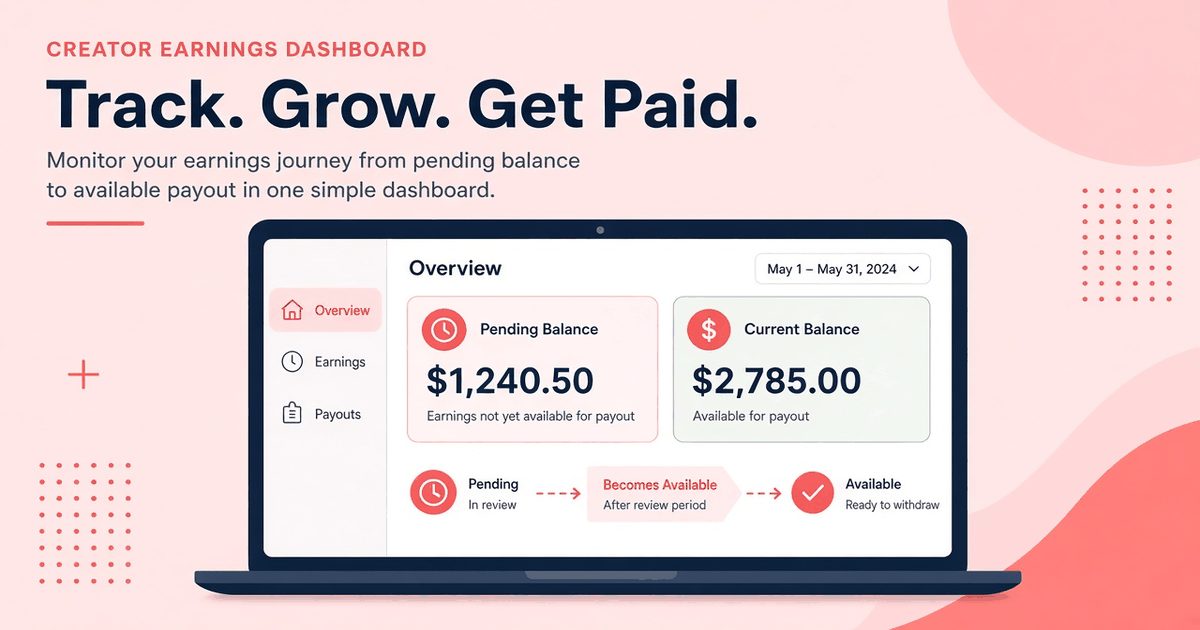
Every OnlyFans sale goes into a pending balance first, then moves to your current balance.
The OnlyFans Payout Minimum
The Terms confirm a minimum exists: "To withdraw Creator Earnings from your OnlyFans account, your account balance must meet the minimum payout amount requirement."
They don't give the amount. A $20 minimum is commonly reported, but we couldn't find that figure on the official pages we checked. The amount may also vary by payout method or country. Check the Banking or Statements section of your account for the minimum that applies to you.
In practice, the minimum rarely holds up an active creator. It matters most in your first few weeks, when your current balance is small and some funds may still be pending.
How And When You Get Paid
Manual Or Automatic Withdrawals
According to the Creator Center, you can "always choose to manually withdraw funds" from your balance. Many creators set up weekly or monthly automatic withdrawals instead. Any pending funds that reach your current balance "by the automatic withdrawal date specified in your 'Statements' page will be included in that payout."
Here's a simple way to choose:
- Manual gives you control. Withdraw when you need the money, as long as your current balance meets the minimum.
- Weekly automatic gives you a steady, predictable income without remembering to request each payout.
- Monthly automatic means fewer, larger transfers. That can help if your bank charges per transfer.
How Long Payouts Take
The Creator Center says: "All payouts, manual or automatic, will take between three to five business days, on average, to process into your bank account." You can track each request in the Payout Requests section of your Statements.
OnlyFans also says that "the withdrawal options available to you and the time it takes for your earnings to arrive can vary depending on where you live." If you're outside the US or UK, expect your timing to differ. Check the official site and your Banking section for the options in your country.
Changing Your Payout Method
You can choose a new payout method from the Banking section of your account, according to the Creator Center.
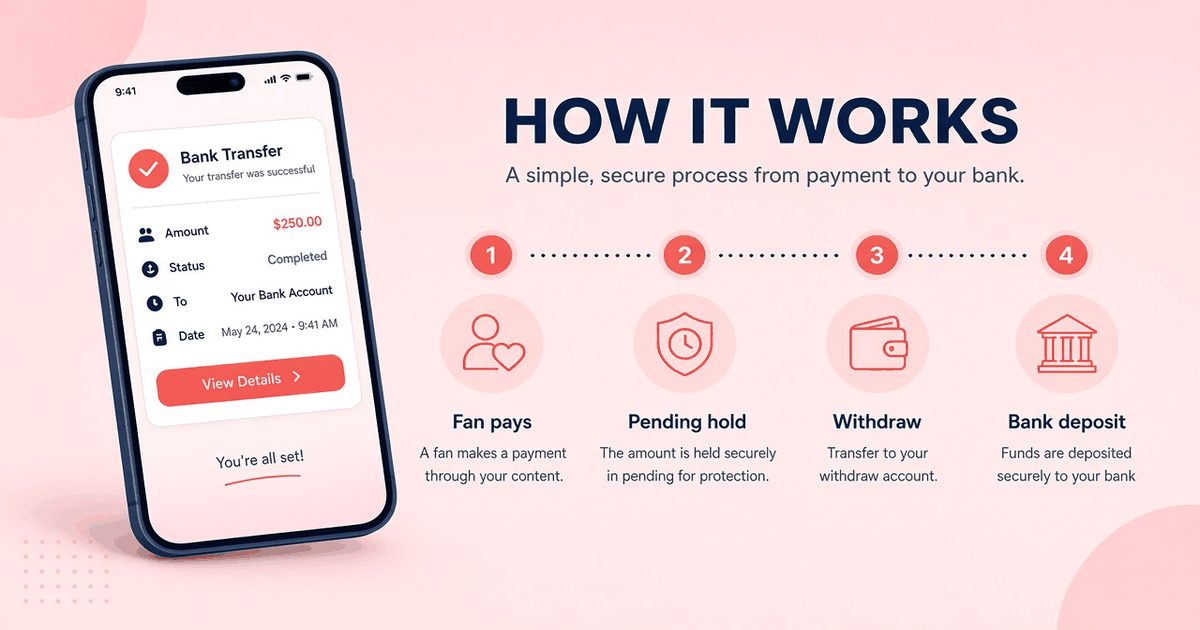
OnlyFans says payouts take three to five business days on average, and timing varies by country.
From Fan Payment To Your Bank Account: A Timeline
Using OnlyFans' published information, a typical payout looks like this:
- Day 0: A fan pays you $25. OnlyFans deducts 20%, and $20 goes into your pending balance.
- Day 7 or later: The money moves to your current balance. New accounts may wait longer, which is commonly reported but not confirmed.
- Withdrawal: You request a payout, or your automatic withdrawal date arrives. Your current balance has to meet the minimum.
- 3–5 business days later, on average: The money reaches your bank account, depending on your country and method.
So money from a sale on the 1st might not reach your bank until around the middle of the month. Plan your budget around that gap, especially in your first month.
Where To Check Your Own Numbers
OnlyFans puts all the financial details in your account:
- Statements: earnings, payout requests and referral earnings over any period
- Statistics: what is earning and when
- Banking: your payout method and the options available where you live
If a number you see in your account doesn't match this guide, go with your account. It reflects your country, payout method and account status.
Not approved yet? Payouts only start once you pass creator checks. Our guide to OnlyFans verification explains what OnlyFans asks for and what to do after a rejection.
Watch out for fake 'payout problem' emails. See our guide to OnlyFans scams.
Tips For Keeping More Of What You Earn
You can't negotiate the 20% fee, but you can control the rest:
- Price with the fee in mind. If you want $8 from a subscription, a $10 price covers the fee.
- Avoid chargebacks. Describe your PPV content clearly so fans get what they paid for.
- Compare your bank's fees. A cheaper payout method can save a few dollars on every withdrawal.
- Put money aside for tax. The Terms make tax your responsibility.
- Use automatic withdrawals so cleared money doesn't sit in your account.
Frequently Asked Questions
How much does OnlyFans take from creators?
OnlyFans takes 20% of each fan payment, according to its Terms of Service. Creators keep 80%. This applies to subscriptions, tips, PPV and other fan payments.
How long is the OnlyFans pending period?
OnlyFans' own example shows a tip held "until at least" seven days later before reaching the current balance. It doesn't publish a fixed number of days, so the hold can be longer.
Do new OnlyFans creators wait 21 days?
A 21-day first hold is commonly reported, but we couldn't find it on OnlyFans' official Terms or Creator Center. Check your Statements page.
What is the minimum payout on OnlyFans?
The Terms say a minimum payout amount applies but don't state it. A $20 minimum is commonly reported. Check your Banking section for the current amount.
How long do OnlyFans payouts take?
OnlyFans says payouts take three to five business days on average to reach your bank account. Timing and options vary by country.
Can I get paid automatically on OnlyFans?
Yes. The Creator Center says you can set up weekly or monthly automatic withdrawals, or withdraw manually whenever you want.
Final Thoughts
OnlyFans' fees are simple: 20% of every fan payment, with no separate plan fee. Payouts take a little more planning. Earnings sit in a pending balance for at least about a week, must meet a minimum you'll find in your account, and then take three to five business days on average to reach your bank. The $20 minimum and the 21-day hold for new creators are commonly reported but not confirmed on OnlyFans' own pages, so check your account and the official site before relying on them.
Last checked: October 12, 2026. This guide is for adults aged 18 and over.
Alma MartinEditor, Daily Crave Hive
Alma Martin is the editor at Daily Crave Hive. She reviews creator and adult platforms - fees, payouts, safety and more - so readers get honest guides before they sign up.