18+ Disclosure: This guide is for adults aged 18 or over who want to create content legally and safely. Some links may be affiliate links — we may earn a commission at no extra cost to you (see our affiliate disclosure). Earnings vary widely; nothing here is a guarantee of income.
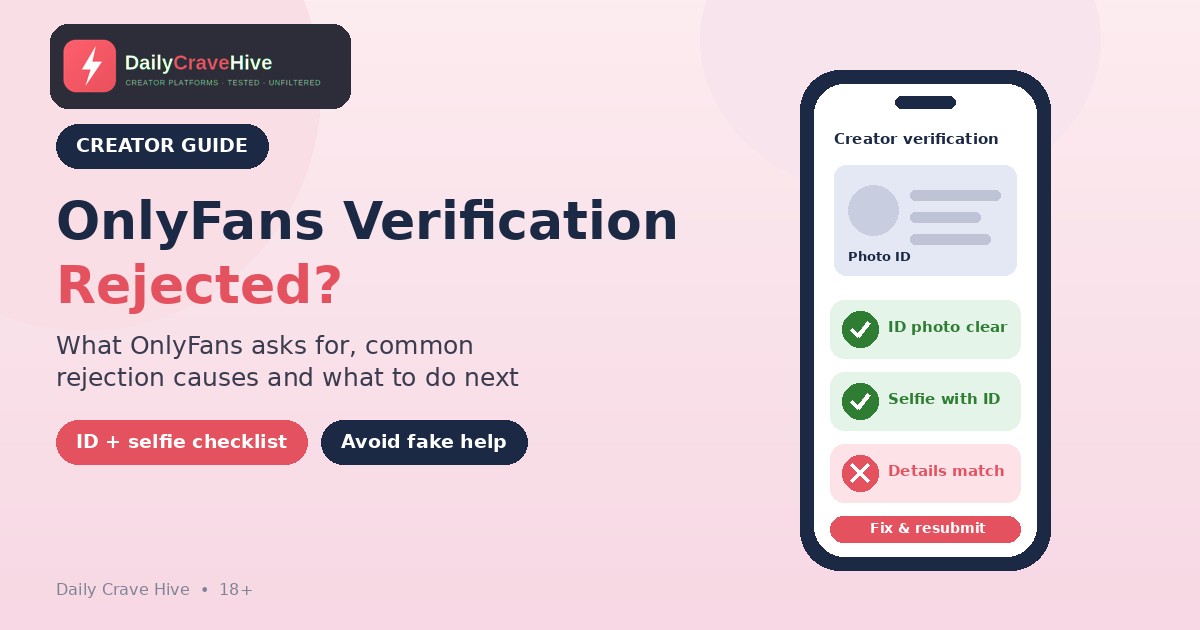
What OnlyFans says it needs to approve a creator, the reasons verification is commonly reported to fail, and safe steps to take after a rejection.
You've filled in the form, uploaded your ID, taken the selfie and waited. Then an email arrives saying your application wasn't approved. It's frustrating, and the message often doesn't say much about why.
This guide explains what OnlyFans publicly says it requires from creators, which problems are commonly reported to cause rejections, and what to do next. It's written for adults with their own valid ID. It isn't a way around verification, and we wouldn't help with that. We haven't gone through the process ourselves. OnlyFans doesn't publish a list of rejection reasons or an approval timeline, so anything beyond its own pages is labelled commonly reported. Requirements change, so please check the official site before you apply or reapply.
OnlyFans Verification At A Glance
| Question | What we found | Status |
|---|---|---|
| Minimum age | 18 or older | Confirmed (Creator Center) |
| Documents needed | Government photo ID, a selfie holding it, bank details and more | Confirmed (Creator Center and Terms) |
| US tax form | W-9 for creators in the US | Confirmed (Creator Center) |
| Ongoing checks | Regular "selfie checks" | Confirmed (Creator Center) |
| Extra checks on request | OnlyFans may ask for more age or identity information at any time | Confirmed (Terms) |
| Can an application be refused without a reason? | The Terms say OnlyFans "may reject an account application for any reason" | Confirmed (Terms) |
| Published rejection reasons | None found | Not published |
| Approval time | Not stated | Not published |
| Blurry photos, expired ID, edited images | Reported by creators and verification providers | Commonly reported |
Checked against OnlyFans' Creator Center and Terms of Service on October 21, 2026. Check the official site, because requirements may change.
What OnlyFans Says It Requires
The Creator Approval Process
OnlyFans' Creator Center says the platform is "only available to adults 18 years or older" and that everyone who becomes a creator must first pass its Creator Verification process. To become an approved creator, it says you must provide all of the following:
- Full legal name
- Verified email address
- Mailing address
- Date of birth
- Valid government-issued photo ID
- A clear selfie while holding photo ID
- Social media account handles
- Bank account details
- W-9 form (for creators in the US)
The Creator Center adds that "our verification software requires one clear photo of your ID, and one of you holding your ID," and that you'll get an approval email once it's done.
What The Terms Say
OnlyFans' Terms of Service say that to open a Creator account you must also "upload a valid form of ID and two photos of you," add a bank account or payment method, and select a payout option. They add that you must "submit additional age or identity verification information any time we ask for it," and that OnlyFans may ask for further information depending on where you live or your nationality. The Terms also say plainly: "We may reject an account application for any reason."
The Terms and the Creator Center describe the photo requirements slightly differently (two photos of you versus one photo of the ID and one of you holding it). Follow the instructions you see in the application itself.
Why The W-9 Matters
If you're in the US, the W-9 is part of approval. The IRS explains that Form W-9 is used to give your correct Taxpayer Identification Number to the person who has to report income paid to you. A name or number that doesn't match your records is an easy thing to get wrong. We cover how earnings reach you once you're approved in our guide to OnlyFans fees and payouts.
Why OnlyFans Verification Gets Rejected
OnlyFans doesn't publish a list of reasons, and it doesn't always explain individual decisions. The causes below are commonly reported by creators and by identity verification providers. They're not an official list.
1. Poor Photo Quality
This is the most commonly reported cause. Verification software has to read your document and match your face. The help centre of Ondato, an identity verification company, lists the usual culprits for rejections in general: photos that are blurry, a room that's too dark, and part of the document being covered. Ondato is commonly reported to be involved in some OnlyFans checks, but the OnlyFans pages we could read don't name its provider.
2. An Expired Or Unaccepted Document
Ondato's help centre also says verification can be rejected because of expired documents or a document type the service provider doesn't accept. Check the expiry date and use the original document, not a photocopy or a screenshot.
3. Details That Don't Match
The Creator Center says to fill in the form with "the information that appears on your official ID card, drivers license, or passport." If your legal name, date of birth or address differs from your ID, or from your bank account, that's a likely trouble spot. Use your legal name on the application. You can use a stage name on your public profile.
4. Edited Or Filtered Photos
Creators commonly report rejection messages telling them not to use filters, visual effects or editing software on the images. Take the photo live and don't convert or retouch it.
5. The Selfie With ID
Reported messages mention a missing or poor-quality selfie holding the ID, or an ID that isn't fully readable with your face clearly visible. Make sure everything on the card is readable and your face isn't covered by hair, glasses glare or a hat.
6. Social Media Handles
Social media handles are on the official list. Some creators report being asked to link an additional account for verification; this is commonly reported, not official. We couldn't confirm what happens to the handles you give, so only share accounts you're comfortable linking, and read OnlyFans' Privacy Policy.
7. Misleading Profile Images
Some creators report rejections because cover or profile images were "misleading or confusing." This is commonly reported, not official. Use images that represent the content you plan to post.
8. Other Checks
OnlyFans says it may ask for additional age or identity information at any time, and its Terms say it can reject an application for any reason. If you've checked everything and you're still rejected, you can ask support.
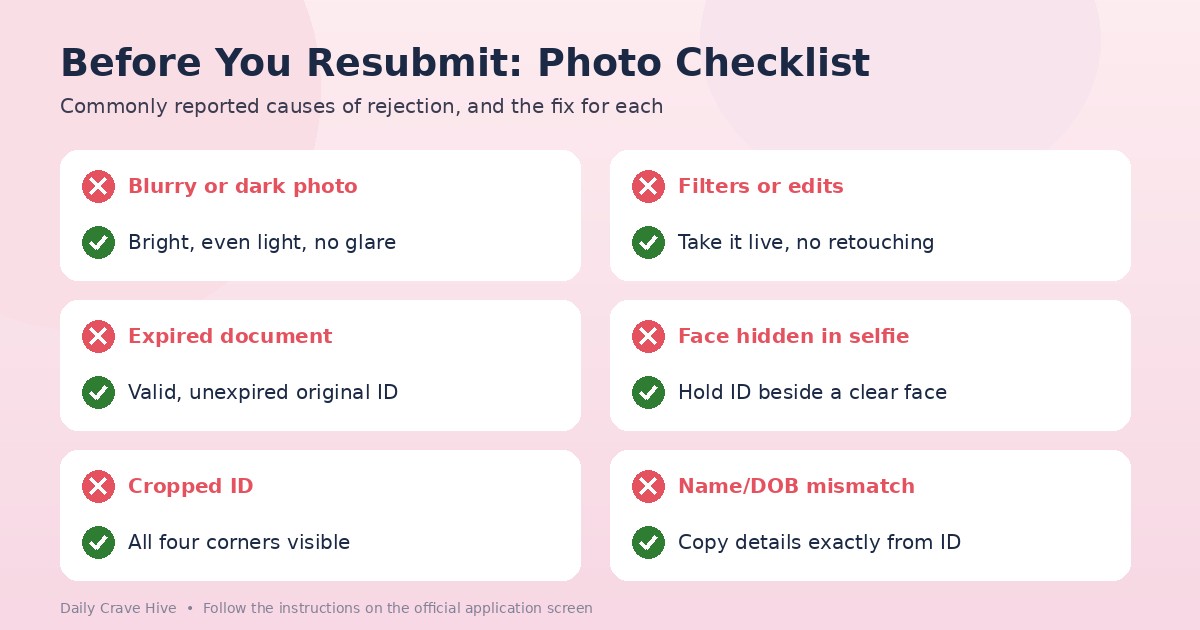
Blurry, dark or partly covered ID photos are among the most commonly reported causes of rejection.
How To Improve Your Odds Of Approval
Follow the official instructions first. Then use this checklist:
- Use a valid, unexpired government photo ID
- Take photos in bright, even light with no glare on the card
- Capture all four corners and make every line readable
- Hold the ID next to your face in the selfie, with your face fully visible
- Use no filters, edits or conversions
- Enter your legal name, date of birth and address exactly as on your ID
- Have your bank details ready, with a name that matches yours
- Complete any W-9 accurately if you're in the US
- Check your email for a request from OnlyFans, including the spam folder
If you're rejected, wait for the message and read it carefully before you reapply. Repeated submissions with the same problem won't help.
Selfie Checks After You're Approved
Approval isn't always a one-time event. The Creator Center says: "To ensure that profiles remain in the control of their verified creators, all accounts are subject to 'selfie checks' on a regular basis." Some third-party reports put the cycle at around 45 days and say a failed check can lock the account while moderators review it. We couldn't confirm either on a page we could read, so treat both as commonly reported.
The Terms add a related rule for content featuring other people. Each person must be a tagged creator or an adult whose proof of identity and written, informed consent you hold. If you or a co-author don't provide information OnlyFans asks for, the Terms say it "may restrict or delete the Co-Authored Content or your account, and/or withhold all or any portion of your Creator Earnings." If anyone else helps run your account, the Terms say that doesn't change your legal responsibility for it.
What To Do If You're Rejected
- Read the rejection message. It may point to a specific issue.
- Fix the issue honestly. Retake the photos in better conditions or replace an expired document.
- Check your details against your ID and bank account.
- Reapply or contact support through the official OnlyFans site, not through a link in a message from someone else. The Terms list support@onlyfans.com and a contact form, and refer to a Complaints Policy and an Appeals Policy.
- Keep records of your submissions and any replies.
- Consider your options. If you can't be approved, our list of OnlyFans alternatives shows other platforms. Each runs its own ID verification, so the same photo rules apply. Our Fansly review covers one of the main options in more detail.
Do not use someone else's ID, a fake document or an edited photo. It breaks the Terms, it can be illegal, and it's the opposite of what verification is for.
Beware Of Fake Verification Help
Rejected creators are easy targets. Commonly reported scams include:
- Someone offering to "get you verified" for a fee
- A message from a fake "OnlyFans verification team" asking for your ID, a code or your login
- An "agency" that wants your documents to "speed up approval"
- Emails with a link to a lookalike site
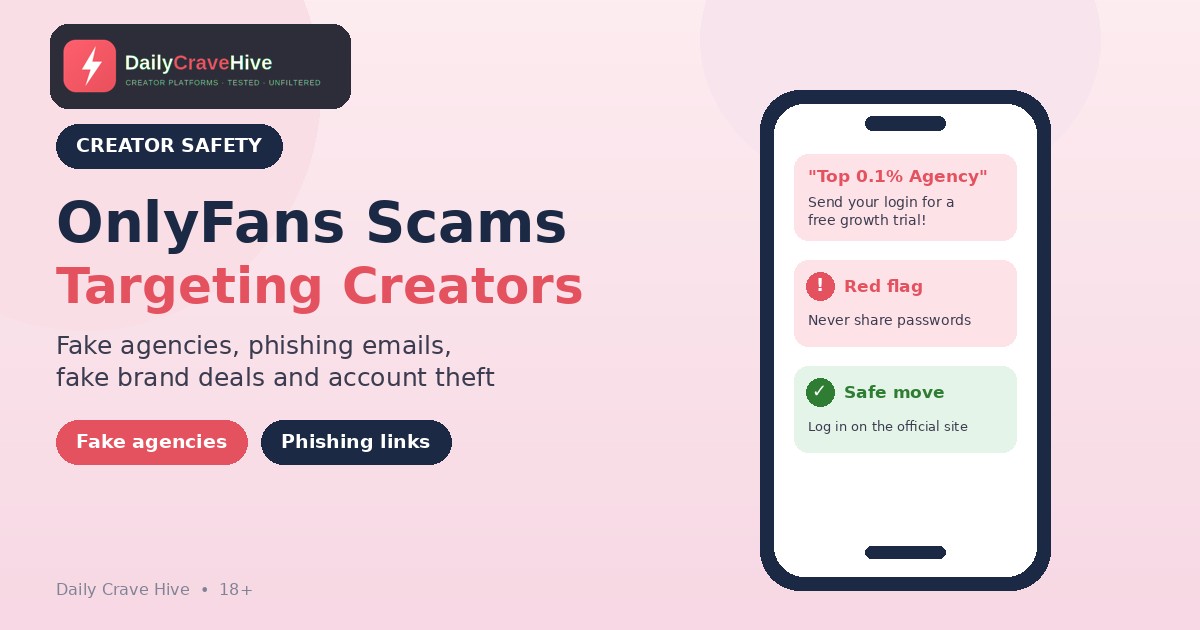
We found nothing on OnlyFans' pages saying approval can be bought from a third party. If someone asks for money, a code or your password, stop. The FTC's guide on recognizing and avoiding phishing scams says legitimate companies "won't email or text with a link to update your payment information," and it recommends contacting a company using a phone number or website you know is real. Our guide to OnlyFans scams covers fake agencies, phishing and account theft in more detail.
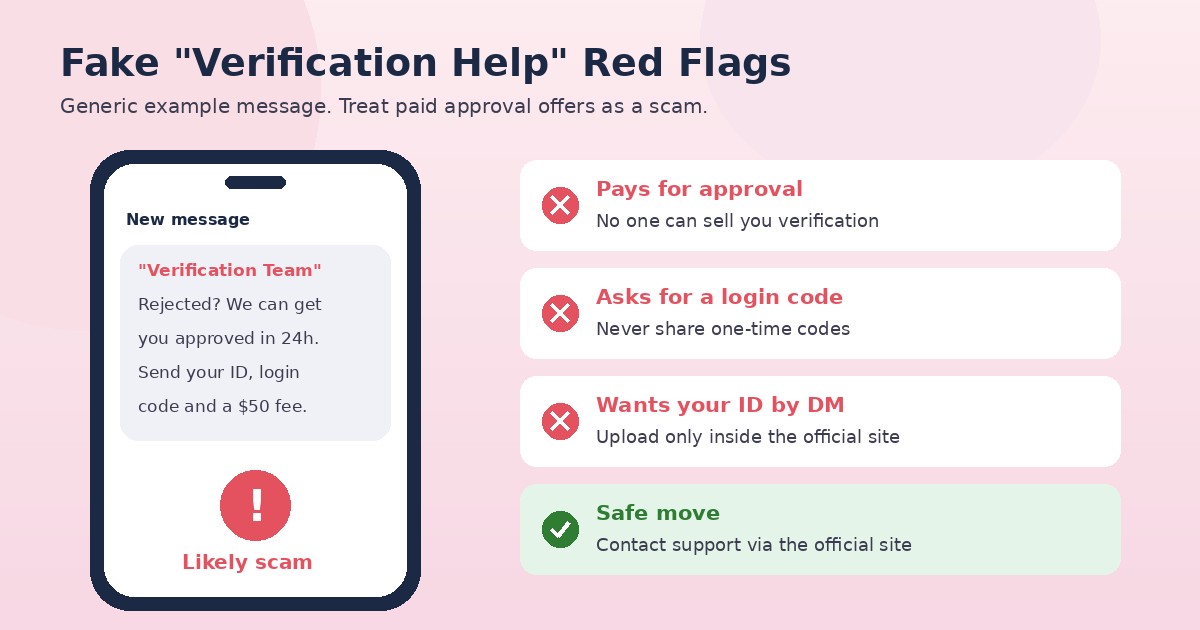
Anyone offering to get you verified for a fee, or asking for a login code, is a red flag.
Frequently Asked Questions
Why was my OnlyFans verification rejected?
OnlyFans doesn't publish a list of reasons, and its Terms say it may reject an application for any reason. Commonly reported causes include blurry or dark photos, an expired or covered ID, details that don't match your documents, edited images and a poor selfie with ID. Read the message you received for specifics.
What does OnlyFans need to verify a creator?
According to its Creator Center, OnlyFans asks for your full legal name, a verified email, a mailing address, date of birth, a valid government photo ID, a selfie holding it, social media handles, bank details and a W-9 if you're in the US. Its Terms say it can ask for more at any time.
How long does OnlyFans approval take?
OnlyFans doesn't state a timeline on the pages we could read. Creators report that it varies, so don't rely on a fixed number. Check your email and your account for updates.
Can I reapply after a rejection?
The OnlyFans pages we could read don't set out a reapplication rule. Read your rejection message, fix any issue and follow the instructions in your account, or contact support through the official site.
Do I need a social media following to be approved?
The Creator Center says all creators are welcome, even without a large following, and that you can grow your subscriber count once verified. Social media handles are still part of the application.
What are OnlyFans selfie checks?
The Creator Center says all accounts are subject to "selfie checks" on a regular basis to keep profiles in the control of verified creators. How often they happen isn't published on the pages we could read; a 45-day cycle is commonly reported but unconfirmed.
Final Thoughts
Verification is annoying, but it's a fixed part of creating on OnlyFans. Use your own valid ID, take clear photos, match your details to your documents and read the rejection message. Don't pay anyone who promises to get you approved. OnlyFans doesn't publish the reasons behind individual rejections, so keep expectations realistic and check the official site for the latest process.
Last checked: October 21, 2026. This guide is for adults aged 18 and over.
Alma MartinEditor, Daily Crave Hive
Alma Martin is the editor at Daily Crave Hive. She reviews creator and adult platforms - fees, payouts, safety and more - so readers get honest guides before they sign up.