18+ Disclosure: This guide is for adults aged 18 or over. OnlyFans is only available to users aged 18 and older. Some links on this page may be affiliate links, and we may earn a commission at no extra cost to you (see our affiliate disclosure). We haven't sent PPV messages from a creator account ourselves. This guide is based on OnlyFans' official Creator Center, blog and Terms of Service, with anything else clearly labelled, not on hands-on testing.
Last checked: November 1, 2026. PPV features and pricing advice from the OnlyFans Creator Center and blog; fee wording from the public OnlyFans Terms of Service (last updated October 2026).
Pay-per-view (PPV) messages are one of the main ways creators earn beyond a monthly subscription. A fan pays once to unlock a specific photo set, video or custom request in their inbox. For free accounts, PPV is often the core of monetization. For paid accounts, it's how you sell extras without raising the subscription price for everyone.
This guide covers what OnlyFans officially says about PPV messages, posts and streams, how to send them, how the Creator Center suggests you price them, and where the 20% platform fee fits in. We checked the OnlyFans Creator Center and the Ultimate Guide to OnlyFans Features on the OnlyFans blog (dated July 12, 2023) on October 29, 2026, and re-checked the Creator Center and the public Terms of Service (now showing Last updated: October 2026) on November 1, 2026. Anything we couldn't confirm on an official page is labelled commonly reported. Features and price limits change, so please check the official site.
PPV At A Glance
| Topic | What OnlyFans' official pages say |
|---|---|
| What is PPV? | Content a fan pays to unlock, separate from the subscription |
| PPV messages | Available to both paid and free accounts |
| PPV posts and streams | Tools for free accounts (streams only once live streaming is enabled on your profile) |
| Who can receive a PPV message? | Individual subscribers, selected fans or lists, or all subscribers at once |
| Platform fee | 20% of the total User Payment, including pay-per-view payments (Terms) |
| Creator share | Creators keep 80% of earnings (Creator Center) |
| Pricing advice from OnlyFans | Start low and work your way up; reserve PPV for exclusive content |
| Where sent media is stored | The Vault keeps posted, scheduled and DM/PPV media |
From the OnlyFans Creator Center, the Ultimate Guide to OnlyFans Features and the public Terms of Service, checked November 1, 2026. Check the official site, because features and policies may change.
What Is An OnlyFans PPV Message?
The OnlyFans Creator Center says "Pay-Per-View messages, posts, and streams allow your fans to pick and choose which of your content they'll pay to see." In the Terms of Service, a payment for pay-per-view Content is one type of Creator Interaction, alongside subscriptions and other payments between a fan and a creator, including direct messages.
A PPV message is a direct message with a price on the attached media. The fan sees your text (and any free preview you add) and pays to unlock the rest. The Creator Center puts it simply: "To unlock a PPV message, a subscriber will first need to pay the price you've set in advance." That payment is separate from their subscription. The Terms even define a Subscription as access to a creator's content "excluding pay-per-view content."
OnlyFans also supports:
- PPV posts (paid posts on your feed). The Creator Center calls these "a great way for free accounts to monetize selectively."
- PPV streams, which work like ticketed live events, for free accounts that are eligible to go live (see how to go live on OnlyFans)
This article focuses on PPV messages, because every creator can use them. Posts and streams get a short section near the end.
Free Account vs Paid Account
The Creator Center draws a clear line between the two setups:
- Paid subscription accounts put your posts, stories and streams behind a monthly price. PPV messages still work as extras: customs, longer videos or one-off drops.
- Free accounts don't charge a monthly fee. Fans subscribe for free, then pay for what they want. The Creator Center says free accounts "have access to pay-per-view posts and streams, and can require fans to tip first before sending a direct message." It adds: "For free profiles, using PPVs effectively is crucial to maximizing monetization on OnlyFans."
Neither model is "better" on paper. The Creator Center says paid subscriptions can make earnings "more consistent and predictable," while free accounts "on average" gain subscribers more quickly and lean harder on PPV and tips. Our guide to starting OnlyFans with no followers covers how new creators choose a setup and promote it.
How To Send A PPV Message
OnlyFans' official instructions are short. The Features guide says: "Simply name your price, attach your media, and press send," and you can target individual subscribers or all your fans at once.
The Creator Center describes the steps like this:
- Open your messages
- Select the fans you want to target (or choose "all subscribers" to reach everyone)
- Write a description of the PPV content
- Attach the media
- Set your price
- Send
The Features guide's Mass DMs section matches that flow: start a New Message, select fans to include or exclude, draft the message, attach media or PPV content, and send.
Creators commonly report that you can also pull media straight from the Vault, add a free preview teaser and schedule the send for later. Treat those interface details as commonly reported and confirm them in your own app, because menus change.
Lists help targeting. The Features guide says Lists let you organize your fans into groups and target them for messaging, promotions and live streams. A commonly reported approach is to send cheaper welcome PPVs to new fans and higher-priced customs to top spenders, rather than blasting everyone the same offer.
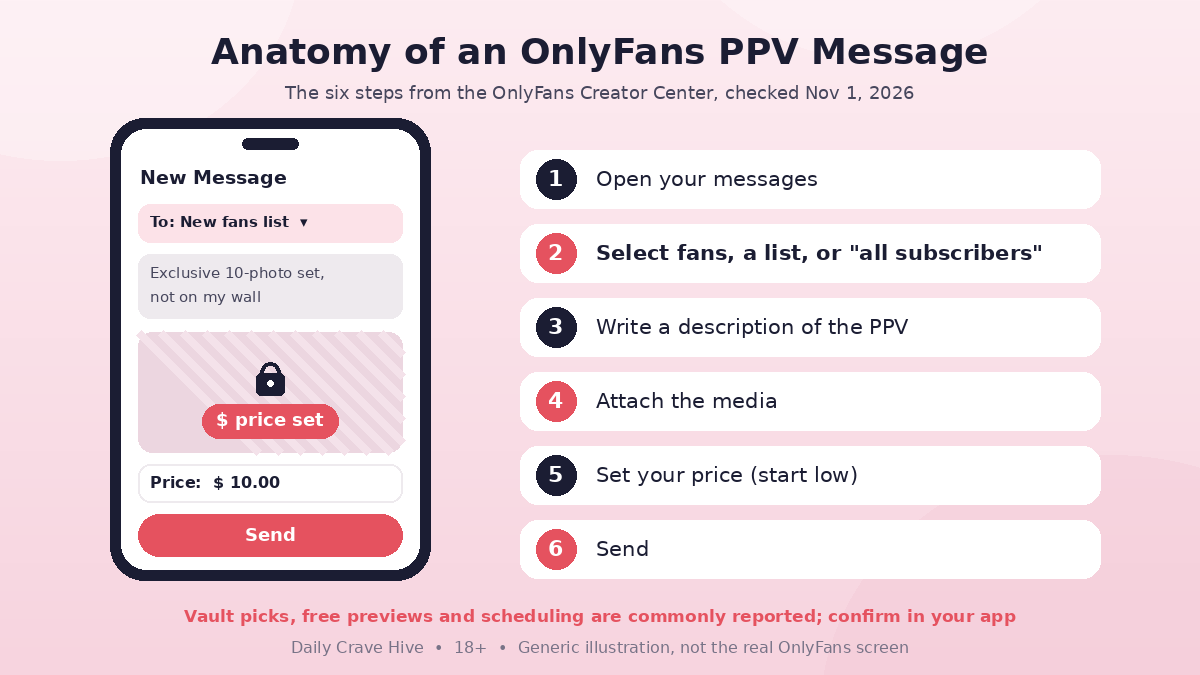
A PPV message is a normal DM with a price on the attached media. Fans unlock it with a one-time payment. Generic illustration, not the real OnlyFans screen.
How To Price OnlyFans PPV
OnlyFans doesn't publish a recommended dollar amount for every niche. Here's what the Creator Center does say:
- "When experimenting with pricing, remember that it's usually better to start low and work your way up."
- PPV should be "reserved for your most exclusive content that your fans won't find anywhere else."
- "If you've already posted something for free on OnlyFans or other social media, it's probably not a great idea to offer it as a PPV."
- "If you're not sure what PPV content your fans will be willing to pay for, try asking them directly."
The Terms back this up: creators are "solely responsible for determining any pricing" for Creator Interactions. So the official framework is exclusive content, start low, ask your audience and raise prices as you learn.
Exact minimum and maximum prices for paid messages and posts are commonly reported by creators and third-party guides (often a few dollars at the low end and around $100 at the high end for messages). We couldn't load OnlyFans' Help Center article with those limits, so check the official site or the price field in your composer for the current range. Don't copy a number from a blog that may be out of date.
A Simple Pricing Ladder (Illustrative, Not Official)
These bands are a teaching example, not OnlyFans policy:
| Tier | What it is | Who gets it |
|---|---|---|
| Welcome / teaser PPV | Lower price, short set | New subscribers |
| Regular drops | Mid range, content that isn't on your wall | Active fans or a chosen list |
| Customs and long videos | Higher end of whatever range your account allows | Top Fans and repeat buyers |
Describe each PPV honestly. The Terms say your Content must be "as described by you" and of satisfactory quality for the price, so a misleading teaser can come back as a refund or chargeback. Watch results in Statistics after each send (see below) and move prices only when you have data.
Mass Messages, Welcome Messages And Top Fans
PPV works best when the right fans see the right offer.
- Mass DMs. Per the Features guide: New Message, include or exclude fans, attach PPV, send. Good for announcements and timed drops.
- Automatic welcome message. The Features guide says you set this under Chats in your Settings. Creators commonly report attaching a low-priced PPV or a free teaser here. Confirm the option in your own settings.
- Top Fans. The Features guide says OnlyFans works out your top 1–5% of subscribers by what they've spent on subscriptions, tips, pay-per-view content and other methods, and you can send them an exclusive message. That's a natural place for higher-priced customs, not a generic blast.
- Polls. Ask what fans want next, as long as the poll follows the Acceptable Use Policy (Features guide).
After You Send: Vault And Statistics
Vault. The Features guide says the Vault stores previously posted or scheduled photos, videos and live streams, and also keeps content you've already shared with subscribers over DM. In its words, if you forgot which content you've sent out over messages or PPV, "the Vault will remember for you," so you don't resell the same file as "new."
Statistics. The Creator Center's statistics pages show earnings by type, including messages, plus engagement such as views, likes, tips and purchases, and where your visitors come from. Together they tell you which PPV sends made money and which only got opens. Check your own numbers rather than industry "average unlock rate" claims, which are almost always commonly reported and unverified.
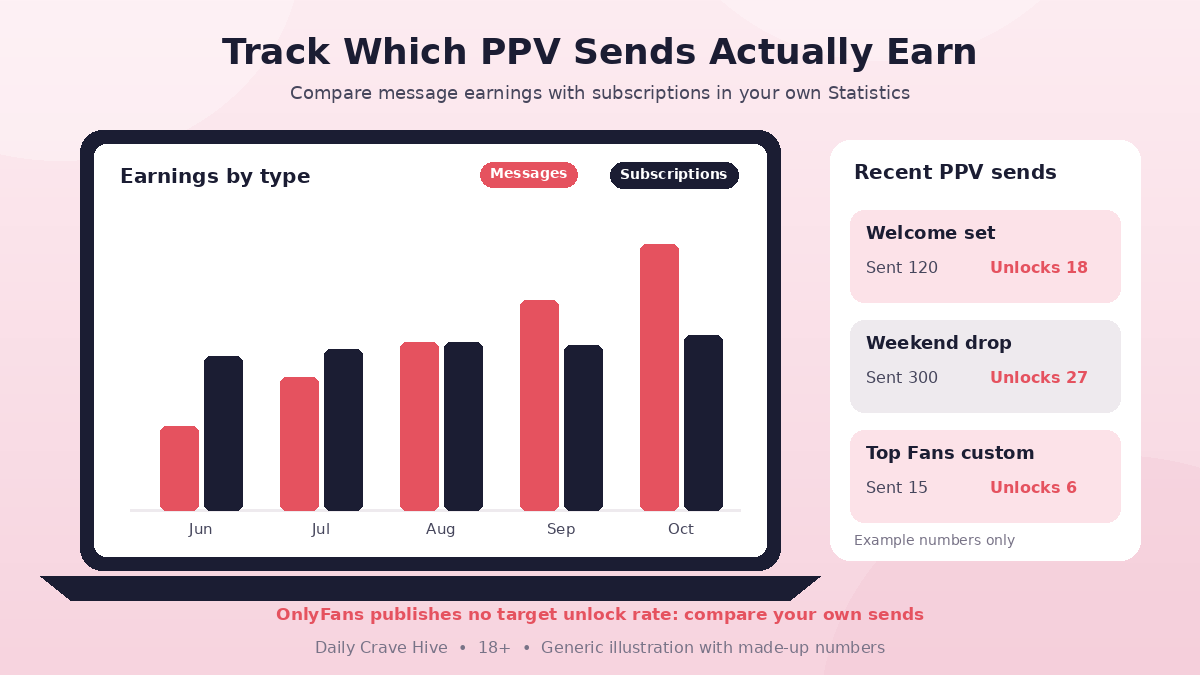
Use Statistics to see which PPV messages earned money, not just which ones were opened. Generic illustration with made-up numbers, not real OnlyFans data.
Fees On PPV Earnings
The public OnlyFans Terms of Service (last updated October 2026) say: "Our fee for Creator Interactions is calculated as 20% of the total User Payment and will be deducted from each User Payment." Pay-per-view payments are Creator Interactions, so the same 20% applies. The Creator Center's short version: creators keep 80% of their earnings.
| PPV price (example) | OnlyFans fee (20%) | Creator Earnings (80%) |
|---|---|---|
| $10 | $2 | $8 |
| $20 | $4 | $16 |
| $50 | $10 | $40 |
Simple maths on the Terms' 20% fee, before any tax, currency conversion or bank charges. Prices are examples, not recommendations.
Two more Terms points matter for PPV sellers. Earnings can only be withdrawn once they show in your account and meet the minimum payout amount. And if a fan gets a refund or chargeback, OnlyFans may deduct the Creator Earnings portion of that payment. For the pending balance, minimum withdrawal and payout timing, see our OnlyFans fees and payouts guide.
US tax rules still apply. Platforms may issue a Form 1099-NEC when payments hit the IRS threshold: $2,000 for payments made in 2026 ($600 for payments before 2026). Income can be taxable even without a form. This isn't tax advice.
PPV Posts And Streams (Free Accounts)
If you run a free account, the Creator Center also covers:
- PPV posts: attach media to a post, set a price and write a caption that makes fans curious enough to unlock it.
- PPV streams: think of them "like selling tickets to a live event." The Creator Center says you can "set your ticket prices as low as $5." Live streaming isn't available on day one. OnlyFans adds the Go Live option once your profile has been running for a while and you have a history of content that follows the Terms.
Safety And Scam Watchouts
- Watermark before you scale. Turn on watermarking in your privacy and safety settings (Creator Center) before sending PPV to large lists. A file sent to hundreds of fans is far easier to leak.
- Customs still need co-author rules. If anyone else appears in your Content, the Terms (Section 16) require you to tag them as a creator, or hold their proof of age and identity and their written consent. Missing paperwork can lead to Content or account restrictions and withheld earnings.
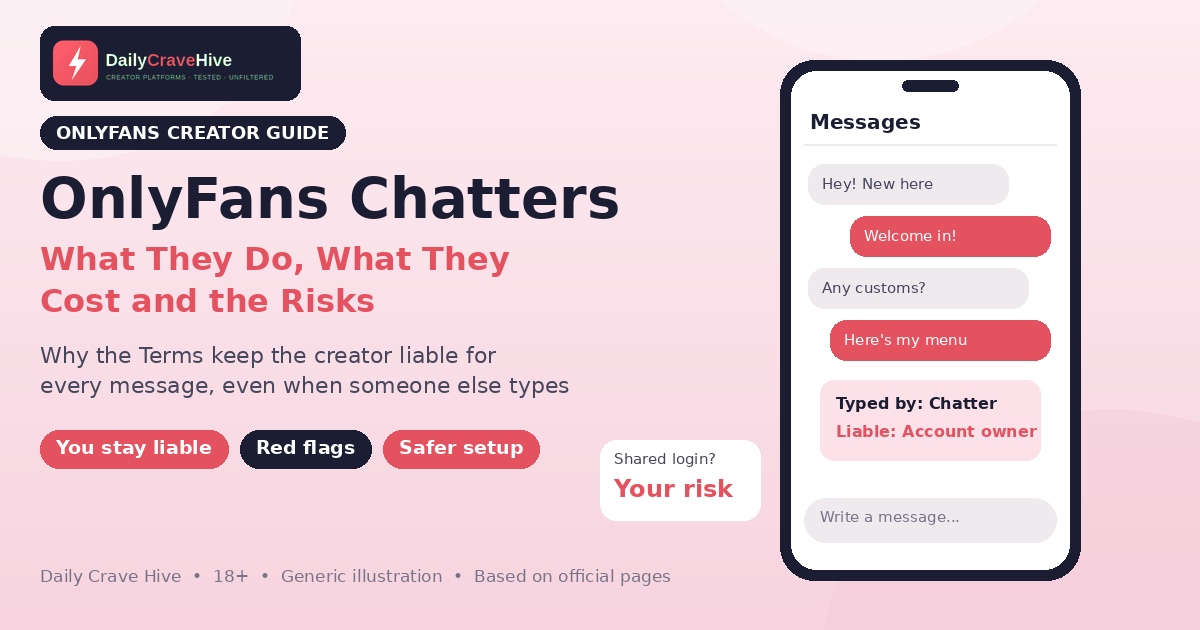
- You're responsible for your DMs. The Terms say that if a third party helps manage your account, you're still legally responsible for everything sent from it. Hand over PPV sending only to people you trust, and read our guide to OnlyFans chatters before you hire one.
- Fake unlock bots and agency pitches. Anyone promising guaranteed unlock rates, or asking for your login to "run your PPV," is a red flag. Our OnlyFans scams guide covers common patterns, and the FTC's page on recognizing and avoiding phishing scams is a useful refresher.
Feet creators who sell customs often run OnlyFans PPV alongside a dedicated feet marketplace. If that fits your niche, check FeetFinder's current seller plans and rules on its official site.
Frequently Asked Questions
What does PPV mean on OnlyFans?
PPV means pay-per-view. It's Content a fan pays to unlock, separate from a subscription. OnlyFans supports PPV messages on both paid and free accounts, and PPV posts and streams on free accounts that have those features enabled.
Can paid OnlyFans accounts send PPV messages?
Yes. The Creator Center says PPV messages are available to both paid and free accounts. Free accounts also get PPV posts and, once eligible to go live, PPV streams.
How do I send a mass PPV message?
Per OnlyFans' Features guide: start a New Message, select fans to include or exclude, draft the message, attach media or PPV content, and send. The Creator Center says to select "all subscribers" when you want to reach everyone at once, or use Lists to target a smaller group.
How should I price OnlyFans PPV?
The Creator Center says it's usually better to start low and work your way up, to reserve PPV for exclusive Content fans won't find elsewhere, and to ask fans what they'd pay for. Exact minimum and maximum prices are set in the app; confirm the current limits on the official site or in your composer.
Does OnlyFans take 20% of PPV?
Yes. The public Terms (last updated October 2026) set OnlyFans' fee at 20% of the total User Payment for Creator Interactions, and a payment for pay-per-view Content is a Creator Interaction. Creators keep 80% before tax, currency or bank charges and payout timing.
What is a good PPV unlock rate?
OnlyFans doesn't publish a target unlock rate. Use your Statistics pages to compare your own sends. Any "average" percentage you see online is commonly reported and not an official benchmark.
Final Thoughts
PPV messages are available to every OnlyFans creator, and for free accounts they're often the main way fans pay. OnlyFans' own guidance is consistent: keep PPV exclusive, start prices low, target with Lists, describe each offer honestly and read your Statistics. The platform takes 20% of each unlock, the same as other fan payments. Build from OnlyFans' own steps, confirm price limits in your composer, and ignore anyone selling a secret unlock formula.
Last checked: November 1, 2026. This guide is for adults aged 18 and over and is based on OnlyFans' official pages, not hands-on testing. Not financial or tax advice.
Alma MartinEditor, Daily Crave Hive
Alma Martin is the editor at Daily Crave Hive. She reviews creator and adult platforms - fees, payouts, safety and more - so readers get honest guides before they sign up.