18+ Disclosure: This comparison is for adults aged 18 or over. Both platforms restrict adult content to verified 18+ creators and adult fans. Some links on this page may be affiliate links, and we may earn a commission at no extra cost to you (see our affiliate disclosure). We haven't run creator accounts on either platform. This guide is based on official Patreon and OnlyFans pages, with anything else clearly labelled, not on hands-on testing.
Last checked: October 30, 2026. Fees, content rules, payouts and Patreon's November 1, 2026 billing switch, from official pages.
"Should I use Patreon or OnlyFans?" sounds like a fee question. For adult, sensual or fetish creators, it's really a content rules question first. Patreon's headline fee is half of OnlyFans', but Patreon bans a lot of what OnlyFans allows. Choosing the "cheaper" platform for content it doesn't permit is the fastest way to lose a page.
This guide compares the two on content rules, fees, payouts and billing, including Patreon's billing change with a November 1, 2026 deadline. We read Patreon's Community Guidelines, several Patreon Help Center articles and the OnlyFans Creator Center on October 27, 2026, and re-checked them on October 30, 2026. Where two official Patreon pages say different things, we show both. Anything we couldn't confirm on an official page is labelled commonly reported. Fees and rules change, so please check the official site before you decide.
Patreon vs OnlyFans At A Glance
| Patreon | OnlyFans | |
|---|---|---|
| Platform fee | 10% standard plan (pages published after Aug 4, 2025). Legacy plans 5%, 8% or 11% | Creators keep 80% (20% platform share) |
| Payment processing | Extra. For example, 2.9% + $0.30 for US cards (USD payouts) | Not listed separately. Creator Center says creators keep 80% |
| Currency conversion | 2.5% when a fan pays in a different currency | Not stated in the Creator Center |
| iOS app purchases | Apple takes 30% (replaces Patreon's processing fee) | Not stated in the Creator Center |
| Sexual activity (real people) | Not permitted | Permitted within OnlyFans' rules |
| Real nudity | Only on Adult/18+ pages, behind the paywall | Permitted within OnlyFans' rules |
| Kink and fetish | Permitted on Adult/18+ pages if no sexual activity | Permitted within OnlyFans' rules |
| Payout timing | Optional auto-payout on the 5th, or withdraw once every 24 hours | Funds pending at least 7 days. Payouts take 3–5 business days on average |
| Billing change | Legacy billing must switch to subscription billing by Nov 1, 2026 | No equivalent change |
As checked on October 30, 2026. Check the official site, because fees and rules may change.
Content Rules: The Deciding Factor
What Patreon Allows
Patreon's Community Guidelines say the platform "permits a broad range of expression and creative works," including "works featuring sexual, sensual, and suggestive themes," restricted to paying members who've attested that they're over 18. The same section is blunt: "Patreon is not a place for sexual activity by or between real and hyperrealistic subjects."
Under the Adult/18+ rules:
- Not permitted: works depicting sexual activity between real participants. This includes masturbation, stimulation of the genitals, and "simulating sexual activity using body parts (e.g. tongue, mouth, or feet) or objects." Close-ups focused solely on nude genitals and depictions of sexualized bodily fluids are also banned.
- Permitted only on Adult/18+ pages: real human nudity that doesn't cross those lines; "works that primarily depict clear kink and fetish, without featuring sexual activity"; and erotic writing or audio.
- Paywall rule: adult works must sit behind the subscription paywall. Public parts of your page (profile image, banner, tier descriptions, free posts) "must be free of nudity."
- Age and consent: Adult/18+ creators must complete age verification and get written consent from every real adult who appears in their work. Patreon provides a consent form for this.
What this means for feet creators: non-sexual feet content and "clear kink and fetish" content can fit on a Patreon Adult/18+ page. Content where feet are used to simulate sexual activity is explicitly not permitted. If your content goes there, Patreon isn't the right platform.
Patreon's guidelines also restrict steering fans off the platform. They say attempts to "direct, coerce, lure, or otherwise lead people from Patreon to third party websites or experiences are strictly prohibited unless otherwise stated." Read Patreon's Help Center on permitted off-platform activity before promoting another page from Patreon.
What OnlyFans Allows
OnlyFans was built for adults. Its Creator Center says the platform is only available to people 18 or older, and every creator must pass identity verification with a government ID and a selfie. Adult content is permitted, but OnlyFans still removes content that breaks its rules. Its Creator Center lists the most common reasons, which include:
- Content featuring someone whose age can't be verified
- Sexually explicit content without all participants tagged and verified
- Nudity in public places where the general public is present
- Content that's illegal where you live
If you work with anyone else on explicit content, OnlyFans requires them to be verified and tagged. For more on how OnlyFans compares with other adult-friendly sites, see our guide to OnlyFans alternatives.
Fees Compared
Patreon Fees
Patreon is a membership platform. Its pricing page says it is "free to start" and charges 10% of the income you earn on Patreon, plus payment processing, currency conversion, payout fees and applicable taxes. The Help Center explains the details:
- Platform fee: creators who published their page after August 4, 2025 are on the standard 10% plan. Older creators may keep a legacy plan of 5%, 8% or 11%. If you unpublish your page, or Patreon unpublishes it, you move to the 10% plan when you republish.
- Payment processing: charged on top. For USD payouts, Patreon lists 2.9% + $0.30 for cards, Apple Pay and US PayPal/Venmo, and 3.9% + $0.30 for non-US PayPal/Venmo. Other currencies have their own rates.
- Currency conversion: 2.5% when a fan pays in a currency different from your payout currency.
- iOS App Store fee: for purchases made in the Patreon iOS app, Apple takes a 30% fee. Patreon says this replaces its standard processing fee for that transaction.
- Payout fee: a fee for transferring your balance. It depends on your payout method and currency.
Two places where Patreon's own pages don't match:
- Small tiers. The "Creator fees overview" says the standard 10% plan "applies the same processing rates to all payments, regardless of amount." The same article's fee factors, and Patreon's August 2025 standard-plan article, still say tiers of $3 or less get micropayment rates. If you plan a tier at $3 or under, check the rate shown in your own Plan details.
- One-time sales. The "Commerce pricing, fees, and taxes" article says the platform fee on Commerce digital sales is 5%. The "Selling one-time purchases" guide lists a standard 10% fee, with legacy rates for creators who started selling before August 4, 2025. The "Creator fees overview" says between 5% and 12%, depending on your plan. Treat 5% as possible for some accounts, not a guarantee.
OnlyFans Fees
The OnlyFans Creator Center says creators "keep 80% of all earnings." For a full breakdown, including the commonly reported minimum withdrawal and how the pending balance works, see our OnlyFans fees and payouts guide.
A Simple Example
On a $10 monthly membership paid by a US fan with a card (USD payouts, standard plans):
- Patreon: 10% platform fee ($1.00) plus 2.9% + $0.30 processing (about $0.59) leaves roughly $8.41 before payout fees and taxes. If the fan subscribes through the iOS app, Apple's 30% applies instead of Patreon's processing fee.
- OnlyFans: 80% of $10 leaves $8.00 before any payout costs.
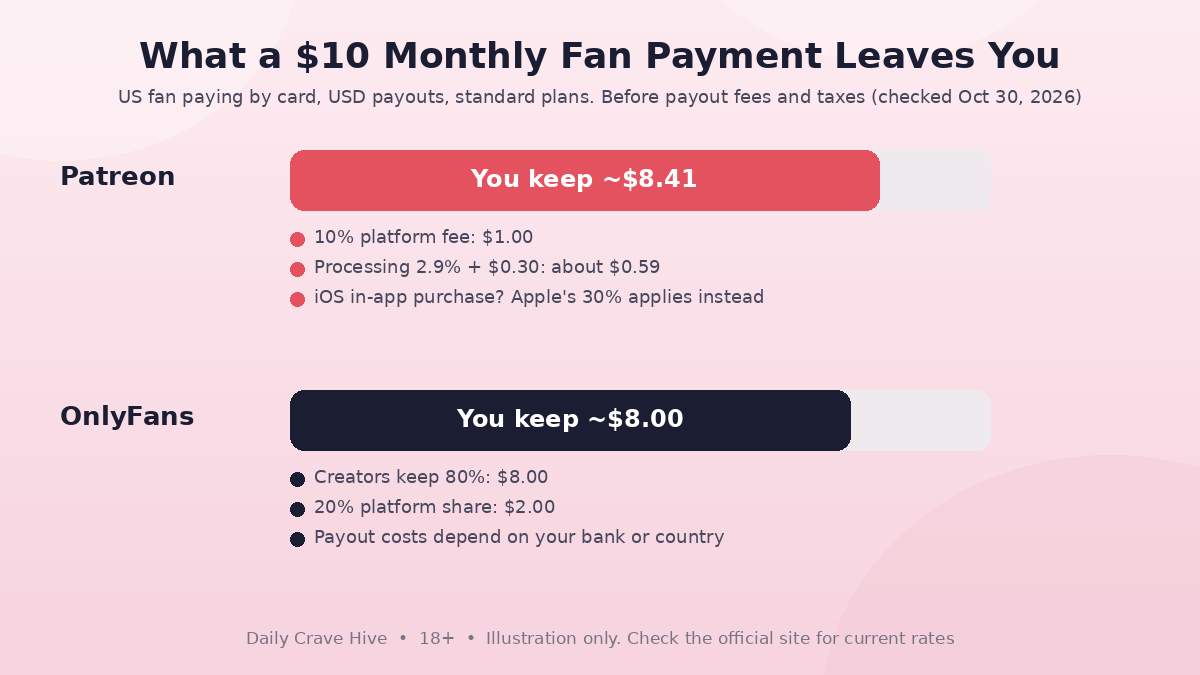
On a $10 US card payment, Patreon's standard plan leaves slightly more, before payout fees, taxes and iOS purchases. Illustration only.
Patreon can come out ahead on paper. The gap shrinks on small tiers (the $0.30 fixed fee hurts more), for international fans (higher processing and 2.5% conversion) and for iOS in-app purchases. Treat this as an illustration only and check the official site for current rates.
Payouts Compared
Patreon: its Subscription Billing FAQ says you can "receive an automatic payout on the 5th or manually withdraw funds anytime." The "Paying out your earnings" article adds that you can only start a payout once every 24 hours, and a 5-day payout lock applies whenever you add or edit a payout method. On timing, Patreon's pages differ again: one says deposits "typically arrive within 10 days, depending on your payout method," while the automatic payouts article says a transfer "can take 3-5 business days" to reach PayPal or a bank. Product sales are slower to clear: Commerce funds can be pending for up to 7 days, and iOS product sales for up to 75 days.
OnlyFans: the Creator Center says earnings first go into a pending balance. A tip received on June 1 stays pending "until at least June 8th." Cleared funds can be withdrawn manually or on a weekly or monthly schedule. Payouts take "between three to five business days, on average." Payout options and timing vary by country.
Patreon's November 1, 2026 Billing Change
This is the biggest Patreon change of the year, and the deadline is days away as we write. Patreon's Help Center says: "All creators still on legacy billing must switch to subscription billing by November 1, 2026." Legacy billing means first-of-the-month billing or per-creation billing.
Key points from Patreon's official articles:
- If you don't switch, Patreon switches you. Patreon says it will "pause your billing and migrate you using a default multiplier." Billing stays paused until you log in and set or confirm your prices. For per-creation creators who didn't contact Support by October 15, 2026, Patreon says the automatic switch happens "in November" and it will email you once it's done.
- Per-creation default prices: each tier's price is multiplied by the highest number of paid posts you charged for in a single month over the last 3 months. In Patreon's example, a $5 per-creation tier with up to 3 paid posts a month becomes $15 a month.
- Paused months aren't charged later. Fans won't be billed for the time your billing was paused.
- Existing members keep being charged on the 1st of the month. New members are charged when they join and then monthly on that date.
- It's permanent. Patreon says you can't revert after switching.
- Payout schedule doesn't change.
Patreon's deadlines for one-to-one migration help have all passed: September 30, 2026 for first-of-the-month creators, October 1 for iOS-related help and October 15 for per-creation creators. If you're on first-of-the-month billing, you can still switch yourself under Settings, then Billing and payouts. If you're on legacy billing and reading this after November 1, check your Billing and payouts settings for a pause and confirm your new prices so fans can be charged again. OnlyFans has no equivalent change.
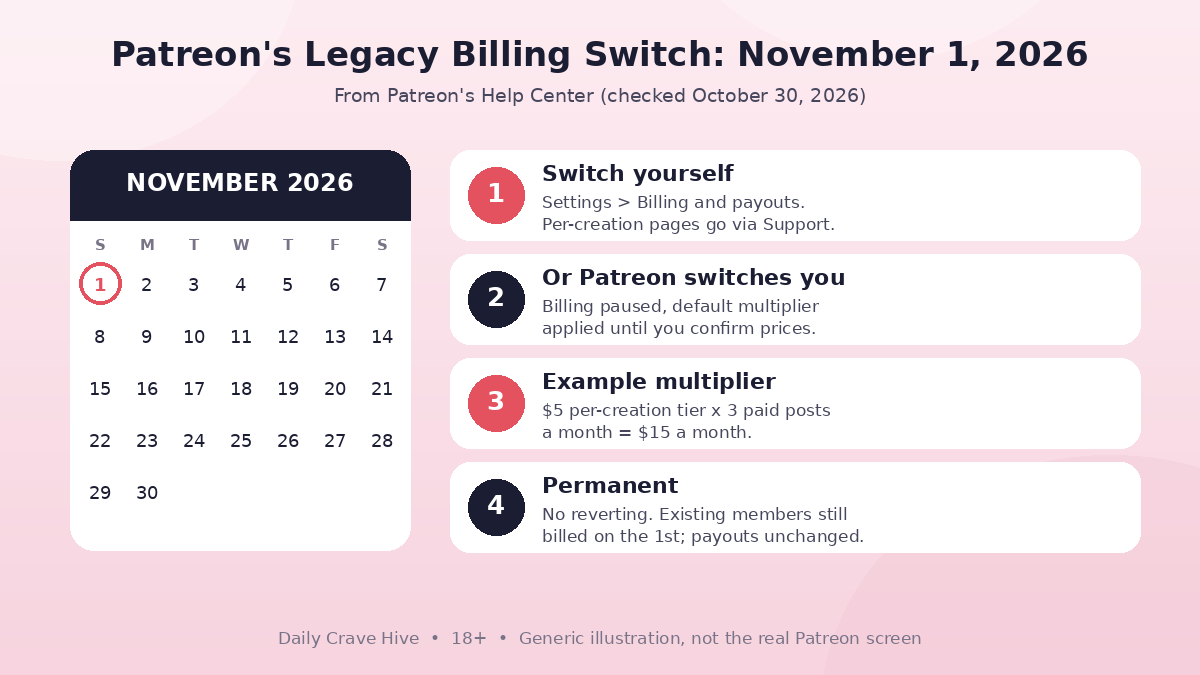
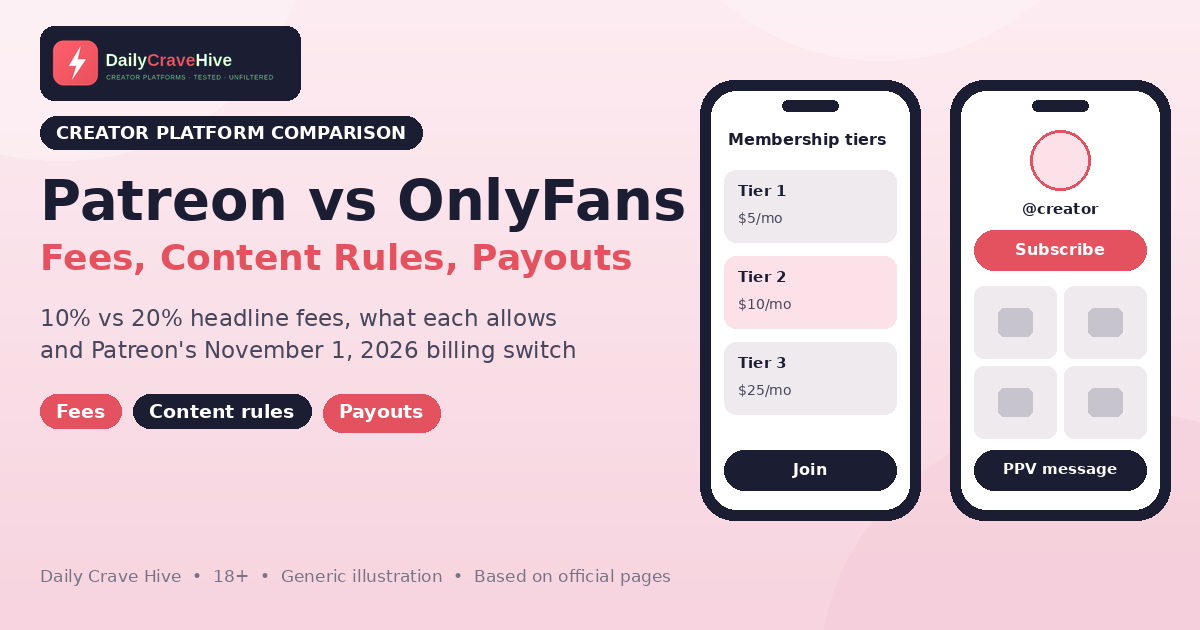
Creators still on legacy billing must switch by November 1, 2026, or Patreon pauses billing and migrates them. Generic illustration, not the real Patreon screen.
Taxes On Either Platform
Income from Patreon and OnlyFans is generally taxable either way. In the US, platforms may send an information return such as Form 1099-NEC or 1099-K. The IRS page "Am I required to file a Form 1099 or other information return?" says the Form 1099-NEC reporting threshold is $2,000 for payments made in 2026 ($600 for payments before 2026). Income is taxable even if you never receive a form. Our OnlyFans taxes guide covers self-employment tax, estimated payments and record-keeping. This isn't tax advice.
Which Should You Choose?
Patreon may suit you if:
- Your content is non-explicit, artistic, written, audio, educational or "clear kink and fetish" without sexual activity
- You want lower platform fees and mostly have US fans paying by card
- You want membership tiers, digital product sales and community tools in one place
- You're comfortable with strict public-page rules (no nudity outside the paywall)
OnlyFans may suit you if:
- Your content includes explicit sexual activity or anything Patreon prohibits
- You want pay-per-view messages and posts, tips and live streams built around an adult audience
- You prefer one simple 80% share over several separate fees
Starting from zero on either platform? Our guide to starting OnlyFans with no followers covers audience basics that apply to both.
Some feet creators skip subscriptions entirely and sell photos on a dedicated feet marketplace instead. If that sounds closer to what you make, check FeetFinder's current plans and seller rules on its official site.
Frequently Asked Questions
Is Patreon cheaper than OnlyFans?
On headline fees, yes. Patreon's standard plan takes 10% (legacy plans 5%, 8% or 11%), while OnlyFans creators keep 80%. Patreon adds payment processing, currency conversion and payout fees, and Apple takes 30% on iOS in-app purchases. Small tiers and international fans narrow the gap. Check the official site for current rates.
Can you post adult content on Patreon?
Partly. Patreon allows real nudity, sensual themes and "clear kink and fetish" works on pages categorized as Adult/18+, behind the paywall. It doesn't permit sexual activity between real participants, including simulated sexual activity using body parts such as feet.
Can I sell feet content on Patreon?
Non-sexual and clear fetish feet content can fit on a Patreon Adult/18+ page if it follows the guidelines. Patreon specifically bans "simulating sexual activity using body parts (e.g. tongue, mouth, or feet)." Read the Community Guidelines before you launch.
What is Patreon's November 2026 billing change?
Patreon creators still on legacy first-of-the-month or per-creation billing must switch to subscription billing by November 1, 2026. If they don't, Patreon pauses their billing and migrates them using a default multiplier until they confirm new prices. The switch is permanent, and existing members are still charged on the 1st.
How fast do Patreon and OnlyFans pay out?
Patreon offers an optional automatic payout on the 5th or manual withdrawals once every 24 hours. Its pages give arrival times of 3–5 business days in one article and "typically within 10 days" in another. On OnlyFans, earnings stay pending for at least 7 days, and payouts take three to five business days on average, according to the Creator Center.
Do I get a 1099 from Patreon or OnlyFans?
US creators may receive an information return such as Form 1099-NEC or 1099-K. The IRS threshold for Form 1099-NEC is $2,000 for payments made in 2026 ($600 for payments before 2026). Income is taxable even without a form, so keep your own records. This isn't tax advice.
Final Thoughts
Patreon vs OnlyFans isn't really a fee contest. Patreon is cheaper on paper and has strong membership tools, but its ban on real sexual activity rules it out for explicit creators. OnlyFans costs more but is built for adult content. Pick the platform whose content rules fit what you actually make, then compare fees. If you're already on Patreon with legacy billing, deal with the November 1, 2026 switch now. And whichever you choose, check the official site for current fees and rules.
Last checked: October 30, 2026. This guide is for adults aged 18 and over and is based on official platform pages, not hands-on testing. Not tax advice.
Alma MartinEditor, Daily Crave Hive
Alma Martin is the editor at Daily Crave Hive. She reviews creator and adult platforms - fees, payouts, safety and more - so readers get honest guides before they sign up.