18+ Disclosure: This guide is for adults aged 18 or over who create content legally. Some links may be affiliate links — we may earn a commission at no extra cost to you (see our affiliate disclosure). This is general information, not legal advice.
Last checked: October 26, 2026. What OnlyFans' Terms say about leaked content, and how to prevent, find and remove leaks step by step.
Finding your paid content posted for free somewhere else is one of the most frustrating parts of being a creator. It costs you money, and it can feel like a serious invasion of privacy.
No setting or service can stop every leak, and anyone who promises that isn't being honest. What you can do is make leaks less likely, make leaked content easier to trace and act quickly when it happens. This guide is based on OnlyFans' Terms of Service (the public page shows "Last updated: August 2024", checked October 26, 2026), OnlyFans' official blog, and official US Copyright Office and Google pages. Anything we couldn't confirm officially is labelled commonly reported. We haven't filed takedowns ourselves, so this isn't a "what worked for me" story. Processes change, so please check the official site before you act.
Content Protection At A Glance
| Question | What we found | Source |
|---|---|---|
| Who owns your content? | You do; OnlyFans gets a licence | Confirmed (Terms of Service) |
| Will OnlyFans chase leaks for you? | It may, but it isn't obliged to | Confirmed (Terms of Service) |
| Is OnlyFans liable if content is copied? | Not for business users, per its Terms | Confirmed (Terms of Service) |
| Built-in watermarking? | Yes, shows your profile URL by default | Confirmed (OnlyFans blog) |
| Legal route in the US | DMCA notice-and-takedown (Section 512) | Confirmed (US Copyright Office) |
| Need to register copyright first? | No, not to send a takedown notice | Confirmed (US Copyright Office) |
| Remove from Google results | Legal removal request, including DMCA | Confirmed (Google Help) |
As checked on October 26, 2026. Check the official site, because terms may change.
What OnlyFans' Terms Say About Your Content
You Own It
OnlyFans' Terms say: "While we do not own your Content, you grant us the right to submit notifications of infringement (including of copyright or trademark) on your behalf to any third-party that is infringing your Content." You also grant OnlyFans a licence to use your content to run the platform. The Terms add: "We will never sell your Content to other platforms."
OnlyFans May Act, But Doesn't Have To
The same clause continues: "We are under no obligation to submit such notifications or to police infringements of your Content." OnlyFans may help, but you shouldn't rely on it alone.
Fans Can View It, Not Redistribute It
The Terms say you authorise fans "to access and view your Content on OnlyFans for their own lawful and personal use." Reposting your content on another site goes beyond that.
The Liability Limits
The Terms define a business user as someone who uses OnlyFans "for commercial reasons," which generally includes creators. For business users, OnlyFans says it is "not liable to you if your Content is copied, distributed, reposted elsewhere or its copyright is infringed." It is also not liable for disclosure of your identity or personal information by other users or third parties without your consent ("doxing"). In plain terms, protecting your content is mostly up to you.
Where To Report
The Terms say OnlyFans' DMCA Takedown Policy covers reports "that infringing content was published on OnlyFans." Its Complaints Policy "explains how to make a complaint about infringement of intellectual property rights on platforms other than OnlyFans." Both are linked in the footer of OnlyFans' Terms page. The contact address in the Terms is support@onlyfans.com.
A note on the new terms: OnlyFans' revised Terms are due to apply from 1 November 2026 (see our OnlyFans fees and payouts guide for what changes). As of October 26, 2026, the public Terms page still shows the August 2024 version quoted above, so check whether these clauses have changed after November 1.
Step 1: Prevent Leaks Where You Can
Turn On Watermarks
In its post "How to Promote Your OnlyFans Profile," OnlyFans' blog says it can "digitally watermark your photos and videos." By default, the watermark shows your profile URL, and the blog calls watermarking "a great way to protect your copyright." Watermarks don't stop screenshots, but they make leaked content traceable and point viewers back to your page. Our guide to starting OnlyFans with no followers shows where watermarks fit into setting up a new page.
Other Commonly Reported Habits
- Keep identifying details out of shot, such as your face, tattoos, house details and mail, if privacy matters to you. Our guide on how to take feet pics covers keeping your identity out of frame.
- Use teasers on social media, not full paid content.
- Keep originals backed up and private, with their original files and dates, so you can prove what's yours.
- Avoid selling content through DMs off-platform, where it's easily resold and you lose OnlyFans' records.
- Watch for "fans" who ask for unwatermarked files. This is a commonly reported warning sign.
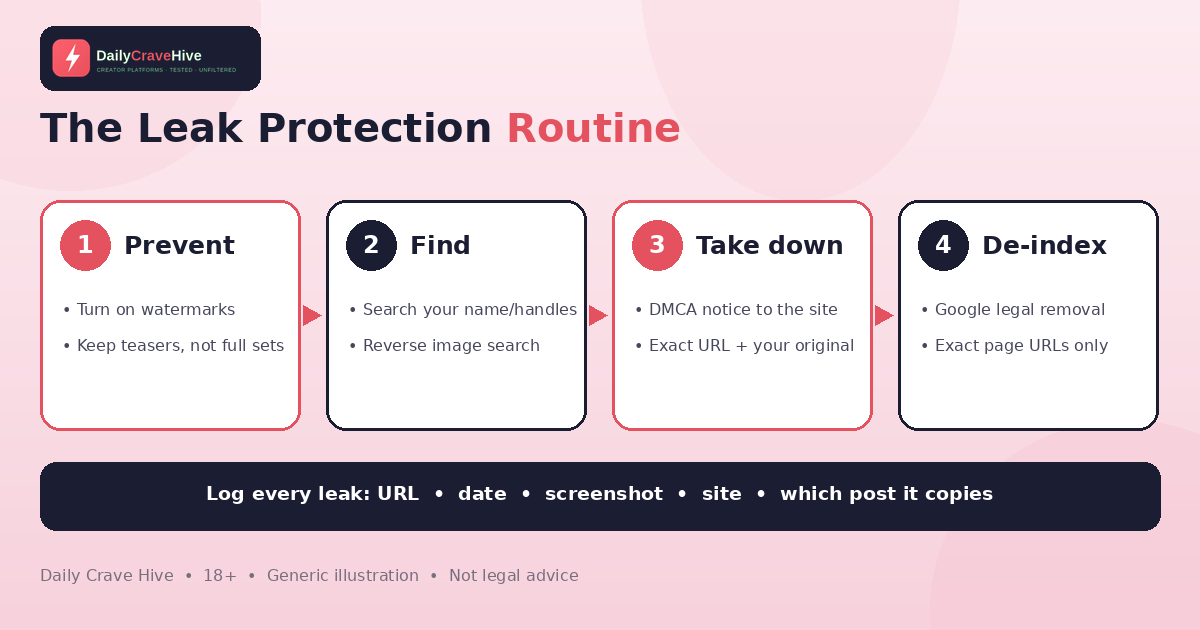
Leak protection is a routine: prevent, find, take down, then de-index. Illustration only.
Step 2: Find Leaks Early
Creators commonly report these checks:
- Search your creator name and handles regularly
- Run reverse image searches on your teasers
- Set alerts for your creator name
- Ask trusted fans to report leaks to you
Keep A Leak Log
Keep a log of every leak you find: the URL, the date, a screenshot, the site's name, and which of your posts it copies. The US Copyright Office says a notice must give "information reasonably sufficient" to find the infringing material, which "often" means specific URLs. A log also helps you check later whether content was actually removed or has reappeared.
Step 3: Send DMCA Takedown Notices
How Notice-And-Takedown Works
In the US, Section 512 of the copyright law, added by the Digital Millennium Copyright Act, sets up what the US Copyright Office calls the "notice-and-takedown system." The Copyright Office's Section 512 resources page explains that it lets rightsholders "send a notification to the online service provider regarding infringing material." Once a provider receives a compliant notice, the Copyright Office says it "must act expeditiously to remove or disable access" to the material if it wants to keep its legal safe harbour.
What A Notice Must Contain
According to the Copyright Office, a notice must contain "substantially" the following:
- Your signature, or that of an authorised agent
- Identification of the copyrighted work (or a representative list if several are on one site)
- Identification of the infringing material and information reasonably sufficient to locate it
- Your contact information
- A statement that you have a good-faith belief the use isn't authorised by you, your agent or the law
- A statement that the notice is accurate and, under penalty of perjury, that you're authorised to act for the copyright owner
The Copyright Office also publishes a sample notice on the same page. If you're unsure about any element, get legal advice.
Where To Send It
The Copyright Office says to send your notice to the site's registered DMCA agent. You can find it through the Copyright Office's DMCA Designated Agent directory, in the site's Terms of Service, or by searching the site for "DMCA." Many large sites have their own DMCA webforms, which the Copyright Office notes may be processed faster.
Things Creators Often Get Wrong
- You don't need to register your copyright first. The Copyright Office says registration isn't required to send a takedown, although US works need registration before you can sue.
- You don't need to hire anyone. The Copyright Office says you can send a notice yourself if you own the copyright.
- Who took the photo matters. The Copyright Office explains that if you took the photo, such as a selfie, you are "likely the copyright owner." If someone else took it, you may not be, and other routes such as privacy laws or the site's own terms may apply.
- Uploaders can push back. If the uploader believes the removal was a mistake, they can file a counter-notice.
Only File Honest Notices
Only send takedowns for content you own or are authorised to act for. The Copyright Office warns that if you "knowingly make a material misrepresentation" in a notice, you can be liable for damages, costs and attorneys' fees. For co-authored content, OnlyFans' Terms say every participant must be a tagged creator or an adult whose ID and "written, informed consent" you have, so coordinate with your co-creator before filing.
Outside the US, rules differ, so check your local copyright authority.
Step 4: Remove Leaks From Google
Even if a site ignores you, you can ask Google to stop showing the page in its results. Google's page on reporting content for legal reasons says to select the Google product, select the reason and "include the specific URL(s) of the content you want to report, as opposed to the link to the website's home page."
Google also has a page on how to remove personal sexual content from Google Search. Read the criteria carefully. Google says this route covers imagery you didn't consent to, or content you consented to that "isn't commercialized online or somewhere else." Because paid OnlyFans content is commercialized, the copyright route is usually the relevant one, and Google's page says: "If you're concerned about copyright infringement of your work, you can request removal under DMCA." The same page also covers fake sexual images of you, including ones made with AI, and search results that wrongly associate you with sexual material.
Removal from Google results doesn't delete the page from the site itself, so send the site a takedown too.
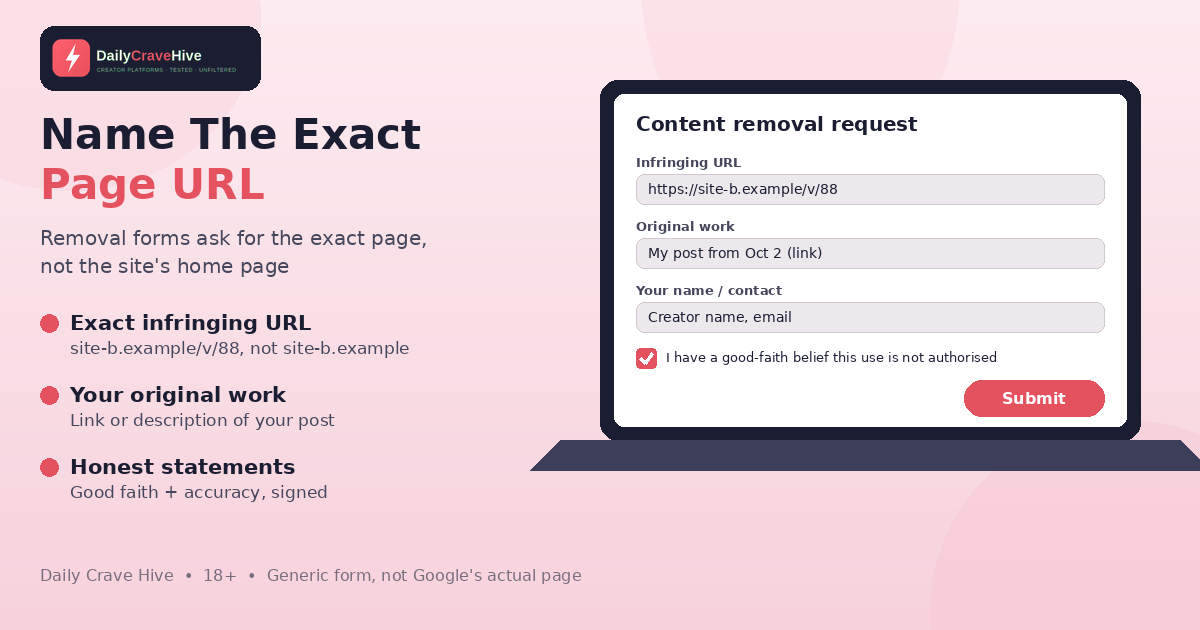
Google asks for the exact URL of each page you want removed, not the site's home page. Generic form, not Google's actual page.
Step 5: Consider Professional Help, Carefully
Content-protection services that file takedowns for creators are commonly reported to exist. You don't have to use one, as the Copyright Office notes you can file notices yourself. Before you pay one:
- Never hand over your OnlyFans login
- Avoid anyone guaranteeing "100% removal"
- Be careful with upfront fees and long contracts
- Ask exactly what they file, where, and how they report results
Fake "leak removal" offers are a known scam. Our OnlyFans scams guide explains the warning signs.
Frequently Asked Questions
Can OnlyFans stop my content from being leaked?
No platform can fully prevent screenshots or recordings. OnlyFans offers watermarking and, under its Terms, may submit infringement notices on your behalf, but it says it is under no obligation to do so.
Who owns my OnlyFans content?
According to OnlyFans' Terms, you own your content. You grant OnlyFans a licence to operate the platform, and it says it will never sell your content to other platforms.
How do I file a DMCA takedown for leaked OnlyFans content?
Find the exact URLs, keep proof of your originals and send a notice to the site's DMCA agent or copyright form. The US Copyright Office lists what a notice must contain, including your signature, the work, the infringing URL, your contact details and good-faith and accuracy statements.
Do I need to register my copyright to send a DMCA notice?
No. The US Copyright Office says registration isn't required to send a takedown notice. For US works, registration is required before suing in court.
Can I get leaked content removed from Google?
You can ask Google to remove specific URLs from its results through its legal removal request forms, including for copyright. Google's personal sexual content route has specific criteria, so read them before applying.
Is OnlyFans responsible if my content gets leaked?
OnlyFans' Terms say that, for business users, OnlyFans is not liable if content is copied, distributed, reposted elsewhere or infringed. It may help, but protecting your content is largely your responsibility.
Should I pay a leak removal service?
Some creators use them, but you don't have to. Never share your login, avoid guaranteed results and upfront-fee traps, and check exactly what the service does.
Final Thoughts
Leaks can't be fully prevented, but you can make them traceable, find them early and remove them methodically. Turn on watermarks, keep proof of your originals, log every leak, file honest takedowns and use Google's removal tools. And check the official site for the latest policies, especially after OnlyFans' new terms take effect.
Last checked: October 26, 2026. This guide is for adults aged 18 and over. This is not legal advice.
Alma MartinEditor, Daily Crave Hive
Alma Martin is the editor at Daily Crave Hive. She reviews creator and adult platforms - fees, payouts, safety and more - so readers get honest guides before they sign up.